Changelog
Released
New Blocks - Oct 2026
Added 406 new blocks, 90 examples, and 26 pages
New Blocks
New Examples
New Pages
Rob Austin
Founder
Released
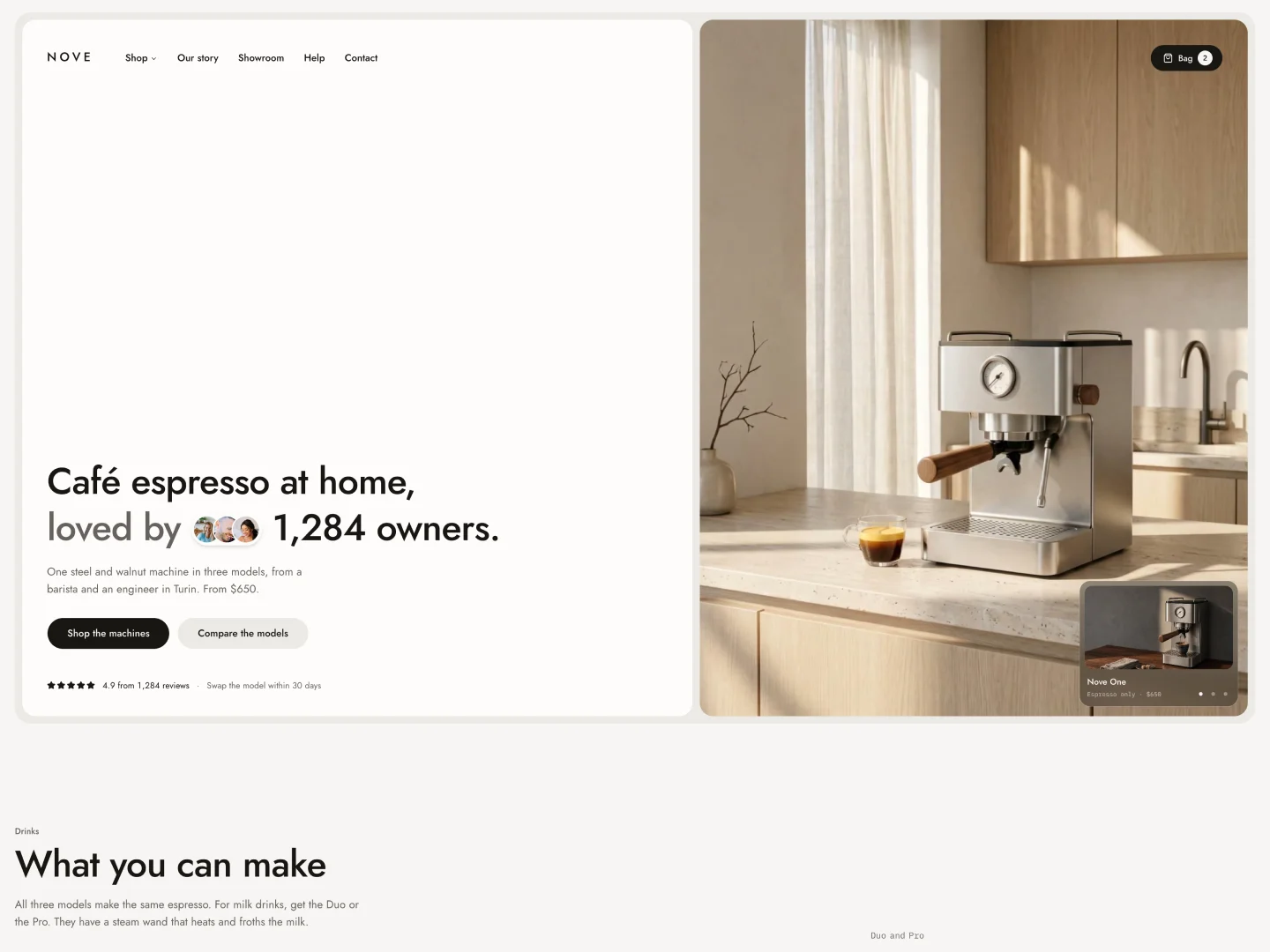
New Template - Nove
An ecommerce template for a single-product brand, built on shadcn/ui and Tailwind. It sells one espresso machine in three models, with add-ons and a beans subscription, a shopping bag that persists in the browser, product pages with a model picker, a checkout and MDX legal pages. Available in both Next.js and Astro editions.
Rob Austin
Founder
Released
Astro 7 Templates Update
Our premium Shadcn UI Astro templates are now on Astro 7, with every dependency updated to its latest version.
What changed
- Faster builds. Astro 7 uses Vite 8 and a new compiler. Builds take about half as long as they did on Astro 6.
- Latest shadcn/ui. Components now import from the single
radix-uipackage, the way new shadcn/ui projects do. - Updated tooling. ESLint 10, TypeScript 6, Motion and Recharts 3. Every template now has the same
lint,typecheckandformatscripts. - Starlight docs. The docs in Plasma and Scalar run on the latest Starlight.
We also fixed bugs we found while testing every page at mobile, tablet and desktop widths.
Before you upgrade
Astro 7 needs Node.js 22.23.4 or newer. We recommend Node.js 24. If your host builds on an older version, change it in your project's build settings. See Hosting for details.
Browse the full catalog on the Templates page.
Rob Austin
Founder
Released
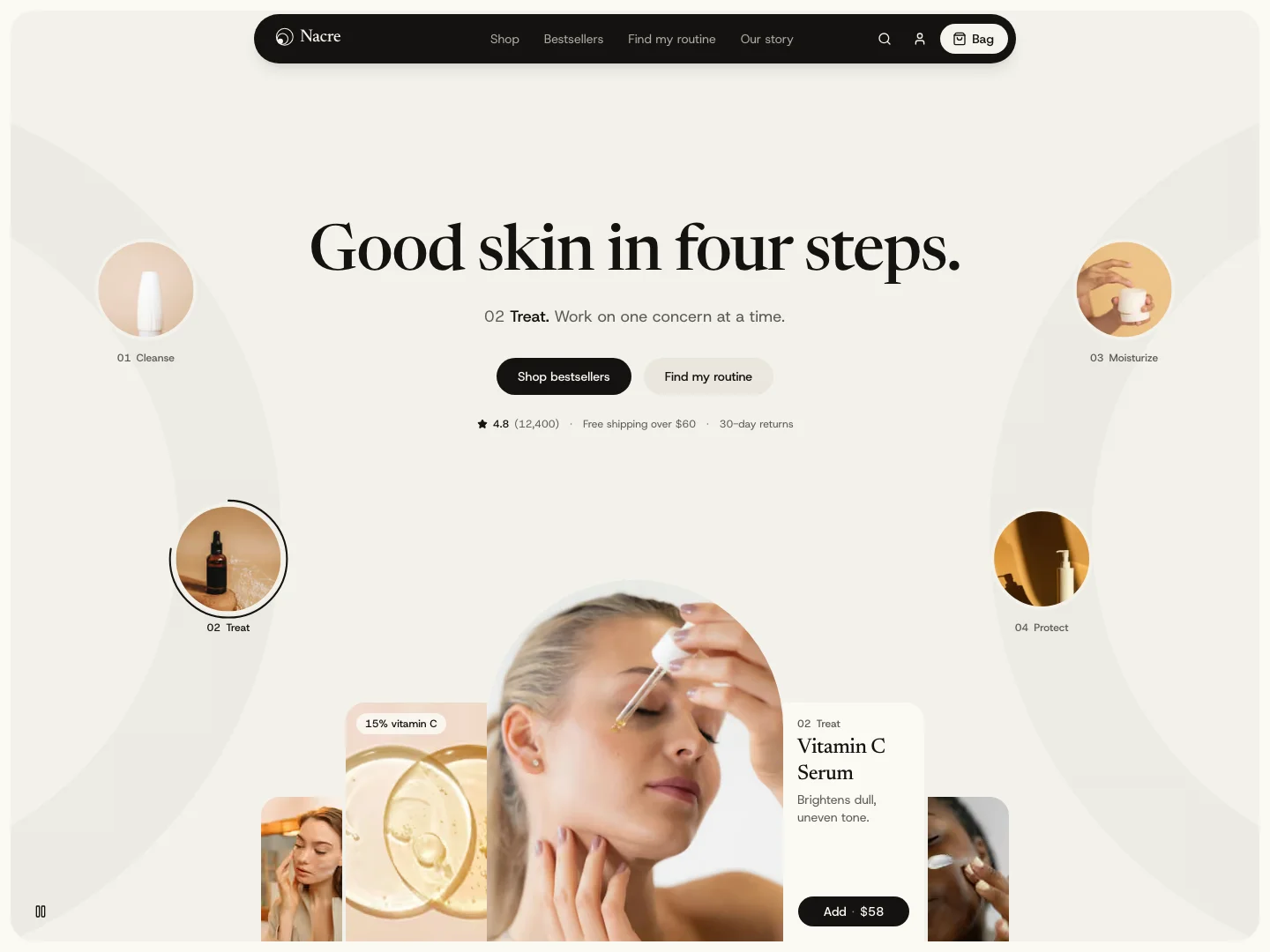
New Template - Nacre
A skincare ecommerce template built on shadcn/ui and Tailwind, with an 18-product catalog, a shopping bag that persists in the browser, a four-step routine builder, and MDX journal and legal pages. Available in both Next.js and Astro editions.
Rob Austin
Founder
Released
Shadcn Admin Kit v2.4.0
Shadcn Admin Kit v2.4.0 adds a full AI Chat app under /ai-chat/* — composers, conversations, an API platform, workflows, and an agent studio. The kit is now 219 pages and six apps. Next.js is 16.3.5, with route-shaped loading frames across the admin shell.
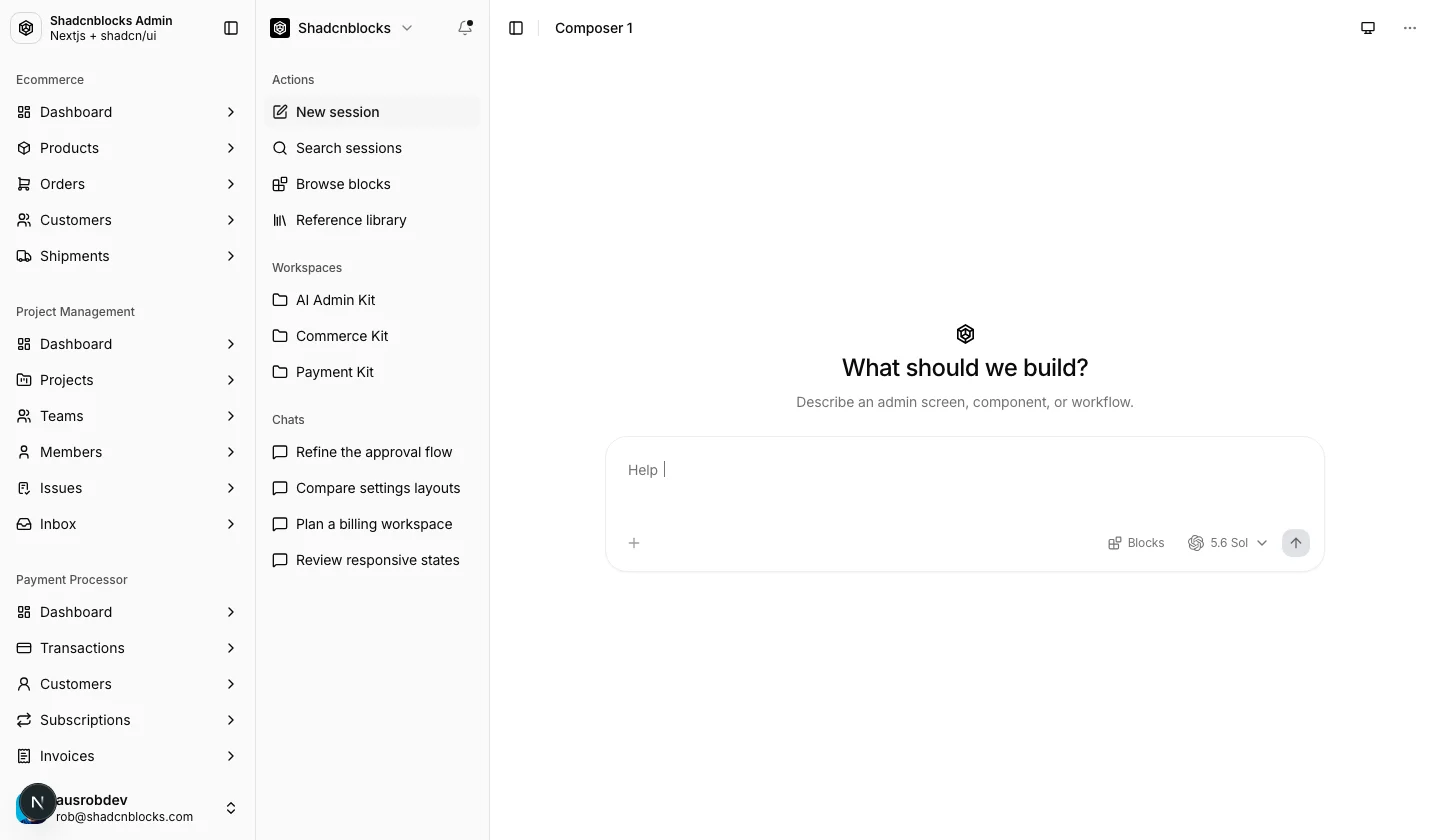
AI Chat App
A sixth product in the shared admin shell. Sidebar group: AI Chat App.
Composers (7)
Seven chat shells with different rails, headers, and composer toolbars. Model picker, context attachments, suggested prompts, and mock streaming turns. Composers 5–7 use an expandable sidebar search and portal-driven header controls.
Conversations (23)
Conversation layouts on one message model: threaded turns, parent/child threads, web answers, and document-style replies. Navigation and headers share the workspace chrome so a new layout does not invent a new shell.
API platform
- Model catalog, details, pricing, and benchmarks — filterable catalog with generic API examples
- API keys, plugins, billing, and organization settings
- Usage insights, credit usage, and model usage — activity, hourly volume, and per-model charts
- API requests, batch jobs, incidents, tokenizer, evaluations, and response review
Workflows, automations, and documents
- Workflow 1–3 — authoring canvases for agents, tools, branches, and approvals
- Automations — scheduled automation plus a run-history screen
- Documents — PDF evidence chat, writing workspace, artifact review, file cabinet, comparison, and knowledge base
- Research — brief builder and an evidence comparison matrix
Applications
Embedded product surfaces, not a second admin:
- Visual inspection — design review beside an uploaded image
- Commerce copilot — order, customer, and shipment context with a reply draft
- Mobile screen workspace — phone-framed preview
- Video variations and YouTube content — creative canvases
Agent studio
- Agent builder — instructions, tools, and a test conversation
- Integrations and skills
- Agent activity, factory, traces, workspace, and configuration
- Subagent canvas and mixed agent canvas
Mock data only — no model provider is wired. Swap the chat and usage stores for your API.
Shell
- Next.js 16.1.6 → 16.3.5
- Instant navigation frames that match the destination layout (tables, kanban, dashboards, forms) instead of a generic spinner
- Sidebar stays server-rendered, with labels truncated during pending navigation
- AI workspace proportions aligned with the rest of the admin shell
At a glance
| AI Chat | |
|---|---|
| Routes | 80 pages under /ai-chat/* |
| Kit total | 219 pages, six apps |
| Data | Mock / in-memory |
| Sidebar | Composers, Conversations, API Platform, Workflows, Automations, Documents, Research, Applications, Skills, Agents |
Rob Austin
Founder
Released
New Blocks - Sep 2026
Added 139 new blocks, 47 examples, 22 pages, and 25 themes
New Blocks
New Examples
New Pages
Rob Austin
Founder
Released
New Feature: Copy Prompt
Every block and component now has a Copy Prompt option in the toolbar. Click it to copy a ready-to-paste prompt for Cursor, Claude Code, v0, or any coding assistant.
Rob Austin
Founder
Released
New Feature: React Aria Support (Beta)
Every Shadcnblocks block, component, example and page is now available for React Aria Components, alongside Radix UI and Base UI. Set an aria style in components.json and the shadcn CLI installs the React Aria build.
How to use
- Set the style in components.json to aria-vega (or any other aria style) and make sure your Shadcnblocks registry URL contains the style placeholder.
- Reinstall the shadcn/ui wrappers for React Aria with the CLI's add command and the overwrite flag.
- Install blocks as usual.
{
  "style": "aria-vega",
  "registries": {
    "@shadcnblocks": "https://www.shadcnblocks.com/r/{style}/{name}"
  }
}
Available styles: Vega, Nova, Maia, Lyra, Mira, Luma, Sera and Rhea.
Why beta?
shadcn's React Aria preset does not ship a navigation menu, menubar or form wrapper, and some third-party components (Kibo UI) have no React Aria build. Rather than drop those blocks, we ship our own React Aria implementations as Shadcnblocks "ui-extras" (same export names as the Radix wrappers, styled per style, installed into your components folder automatically), plus React Aria builds of the Kibo UI components.
Those pieces work and are typechecked, but they are maintained by us rather than upstream and may still change. The React Aria path is newer than Radix and Base UI, so it carries a Beta label in the library switcher until the shims settle or shadcn ships official versions.
On the site
Pick React Aria in the block toolbar's library switcher or the Customize sheet to preview any block with React Aria. The Code tab shows the React Aria source, and the Diff view shows exactly what changed against the Radix version (onPress, isDisabled, LinkButton, id instead of value, and so on).
Rob Austin
Founder
Released
Improved: Base UI Support
Base UI support has moved from "the same source with different wrappers" to real Base UI builds, served automatically through the shadcn CLI.
What changed
- Dedicated Base UI builds. Where a block relies on a primitive API that differs between the libraries (asChild versus render, nativeButton, drawer and calendar props), we now ship a Base UI-specific version of that block instead of the Radix source. Over 1,200 blocks and components have one; the rest are plain markup and share the Radix file.
- Served by the CLI. With a base style and the style-aware registry URL, adding a block installs the Base UI build. No prefixes, no separate ids.
- All eight styles. Vega, Nova, Maia, Lyra, Mira, Luma, Sera and Rhea.
- Third-party components. Kibo UI and Magic UI components that have no Base UI build are served as Shadcnblocks-maintained Base UI builds. Nothing to configure.
- Preview and diff on the site. The library switcher in the block toolbar and the Customize sheet previews any block with Base UI. The Code tab shows the Base UI source and a Diff view against Radix, or a "Same as Radix" note when nothing changes.
- Typechecked. Every Base UI item is compiled against the Base UI wrappers before publish.
{
  "style": "base-vega"
}
Rob Austin
Founder
Released
New Feature: Shadcn CLI {style} Support
The Shadcnblocks registry now reads the style placeholder the shadcn CLI sends with every request. The style in your components.json is the only thing that decides which build of a block you receive.
What changed
- The registry URL supports the style placeholder. With a style of base-nova the CLI requests the Base UI build of a block; with aria-vega it requests the React Aria build. The block id never changes.
- All eight styles resolve for every library: Vega, Nova, Maia, Lyra, Mira, Luma, Sera and Rhea, prefixed with radix, base or aria.
- Legacy style values (new-york-v4, new-york, default) and the older URL without the placeholder keep working and serve the Radix UI build. Radix items served that way print a note after install pointing you at the new URL.
- Page items resolve each block through the same URL, so a page install is one library end to end.
- Third-party components (Kibo UI and friends) that have no Base UI or React Aria build are served as Shadcnblocks-maintained builds, so render, asChild and press events keep working.
- Every item is typechecked against each library's wrappers before publish, so a Base UI or React Aria install is never handed Radix-only code.
Update your components.json
{
  "style": "base-vega",
  "registries": {
    "@shadcnblocks": "https://www.shadcnblocks.com/r/{style}/{name}"
  }
}
Rob Austin
Founder
Released
New Blocks - Aug 2026
Added 193 new blocks
New Blocks
Rob Austin
Founder
Released
New Feature: Collections
You can now save blocks, components, and pages into named collections and install a whole set with one shadcn CLI command.
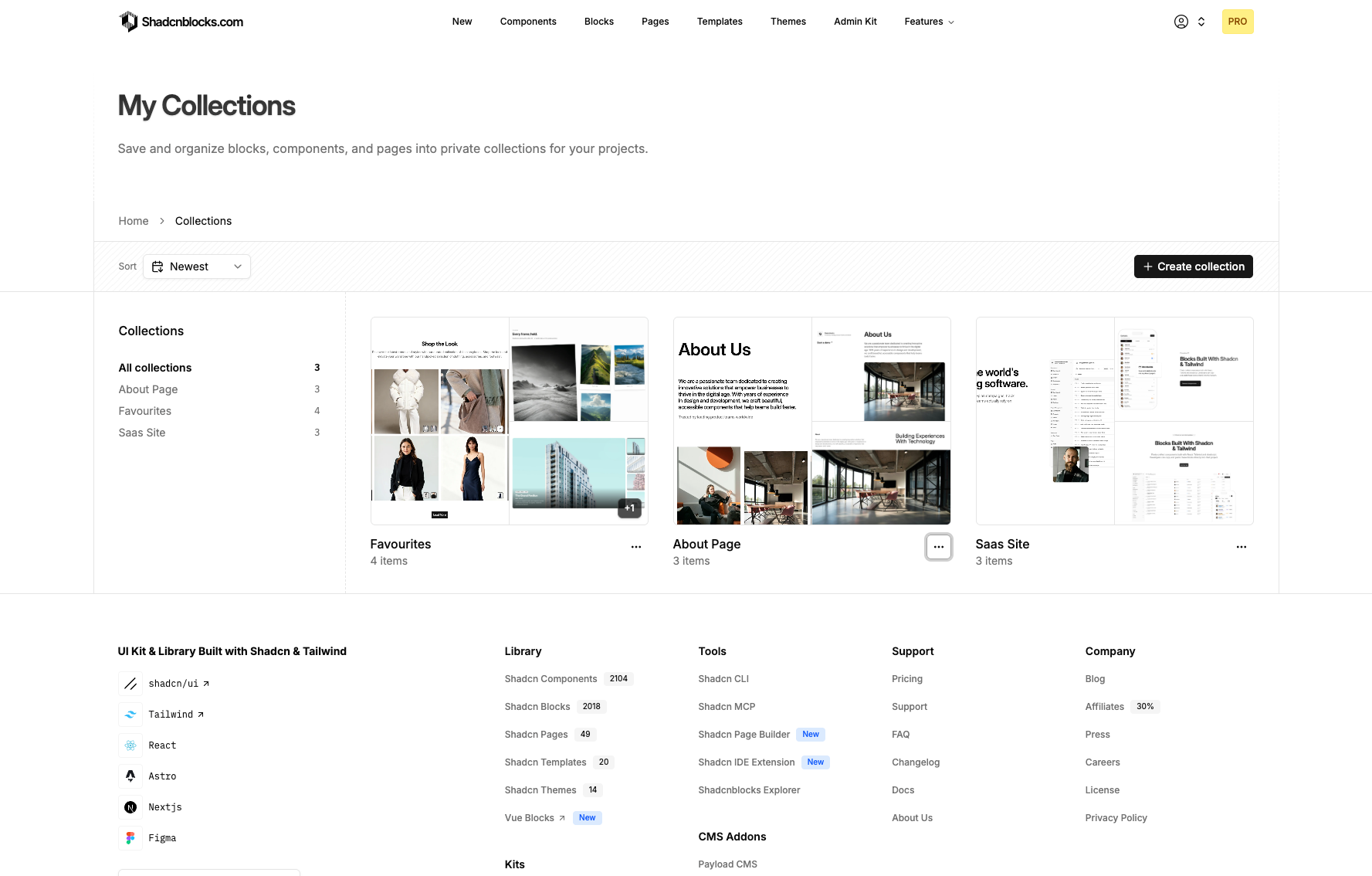
Bookmark items from any block, component, or page detail view, then open My Collections to organize them.
What you can do
- Create collections — Name a collection, add a short description, and edit or delete it later.
- Save as you browse — Use the bookmark control to add or remove an item from a collection.
- Mix types — Keep blocks, components, and pages in the same collection.
- Install with the CLI — Copy a single shadcn command from a collection. Items you do not have access to stay out of the command until you upgrade.
Rob Austin
Founder
Released
New Template - Munch
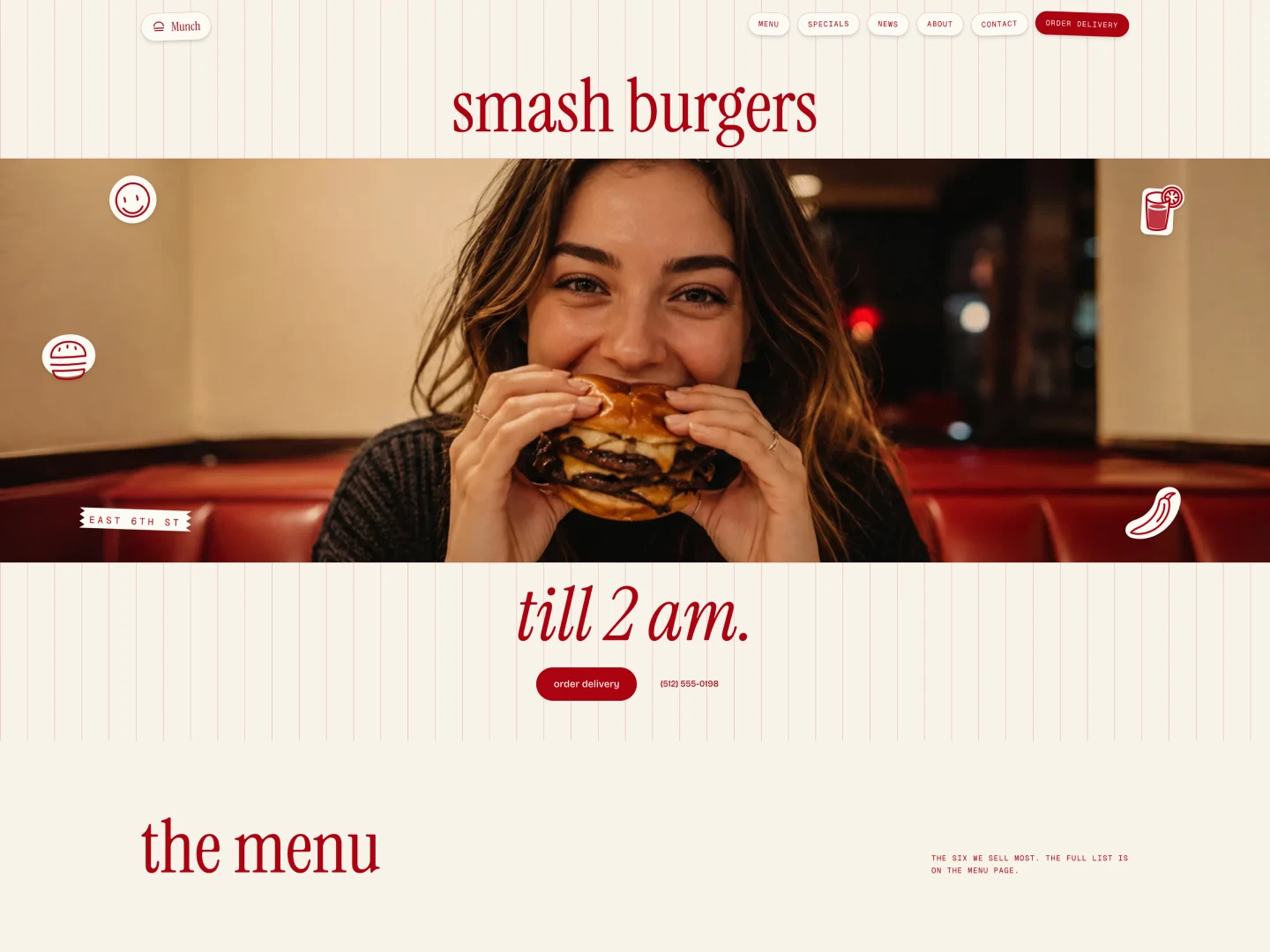
A restaurant template built on shadcn/ui and Tailwind, with a menu that lists a price and calorie count per item, an order cart that persists in the browser, and MDX news and legal pages. Available in both Next.js and Astro editions.
Rob Austin
Founder
Released
New Feature: Shadcn Blocks for Vue
We've launched a sister site for Vue: shadcnblocksvue.com. It's a dedicated catalog of 1,400+ blocks built on shadcn-vue — same team and design bar, not a tab on this site.
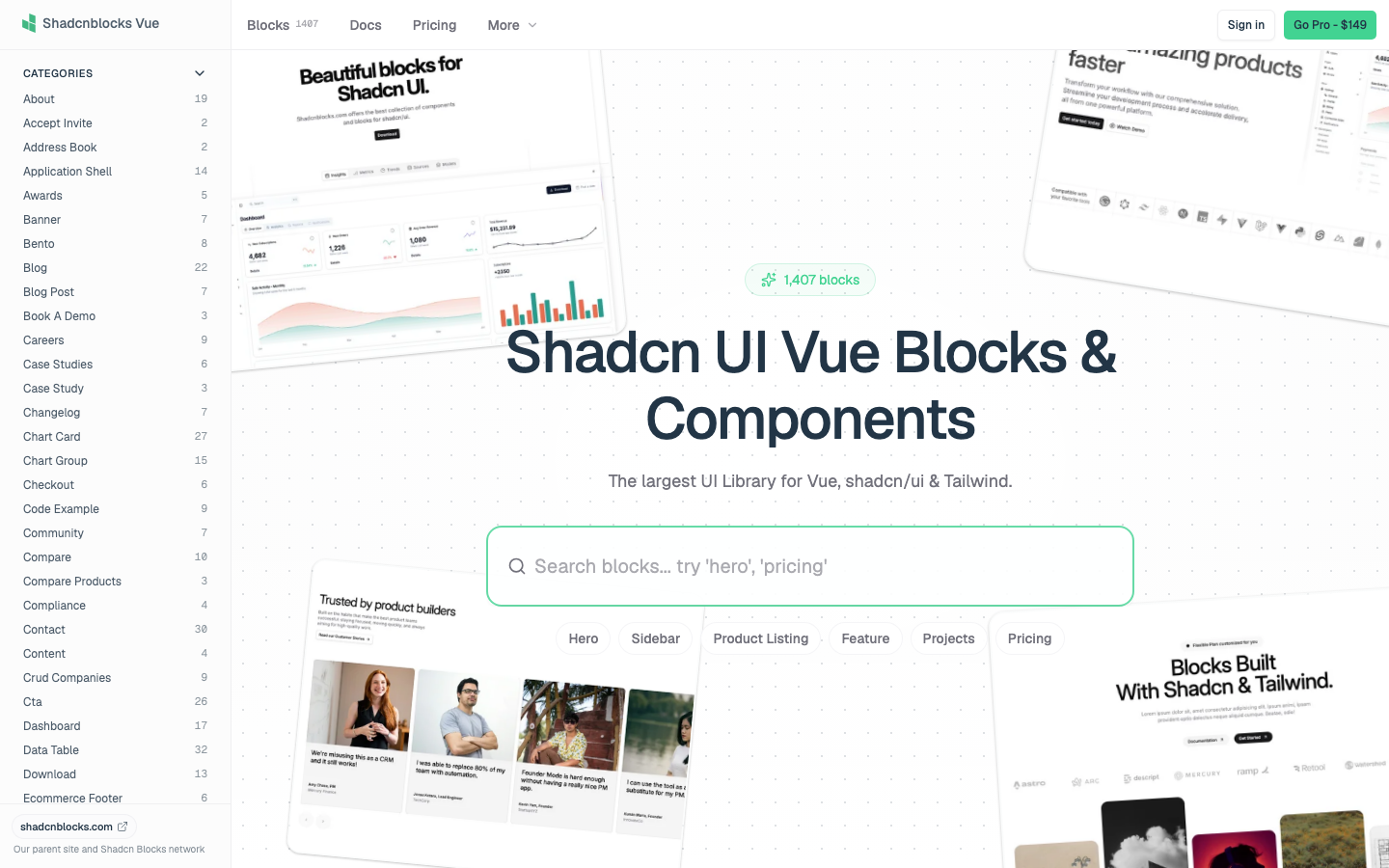
shadcnblocks.com stays React. If a block has a Vue counterpart, you'll see a Vue link in the block page toolbar.
- Read the blog post
- Visit the site — shadcnblocksvue.com
Rob Austin
Founder
Released
Shadcn Admin Kit v2.3.0
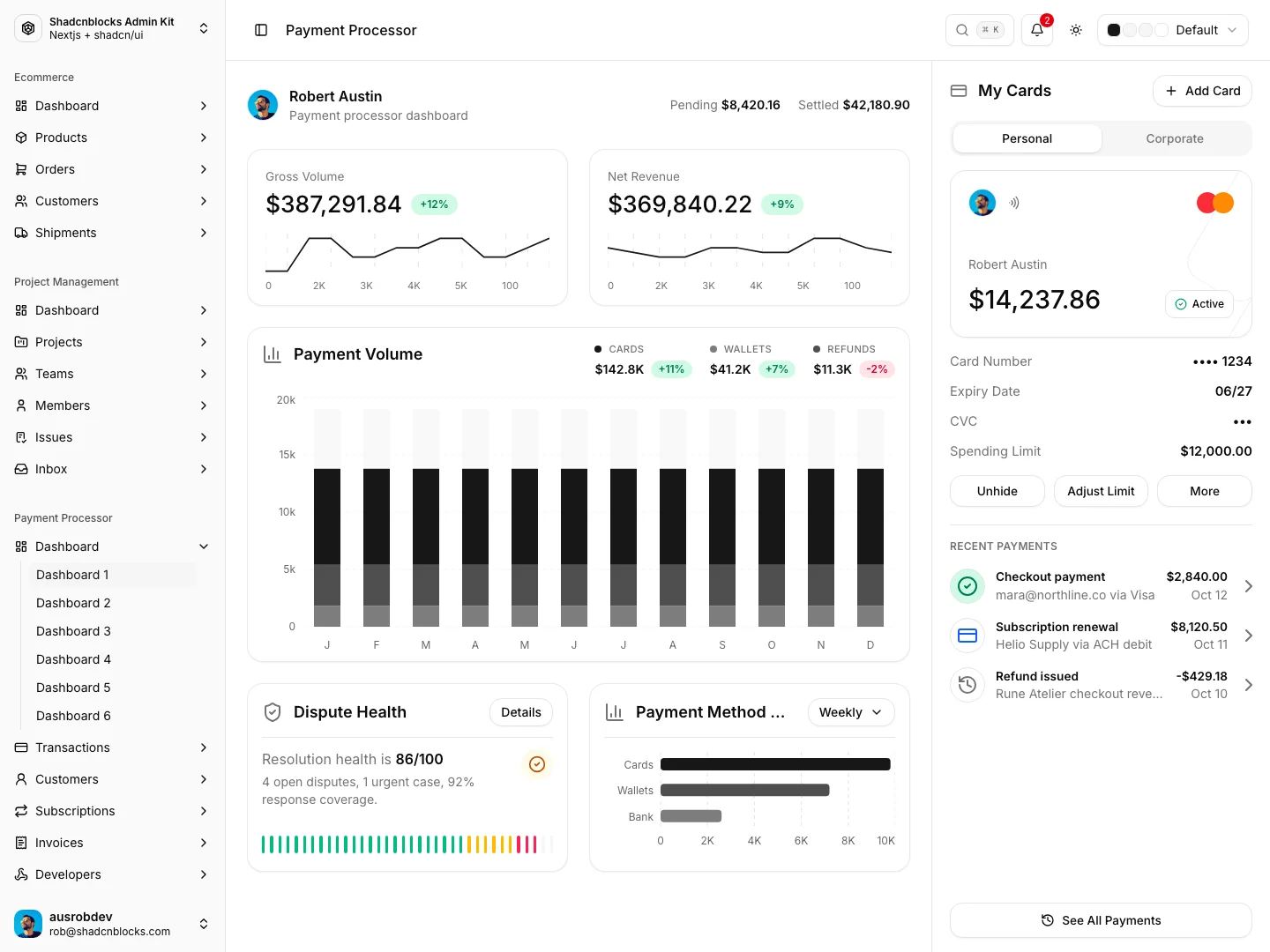
Shadcn Admin Kit v2.3.0 adds a full Payment Processor app under /payment-processor/*, plus calendar/date fixes and hydration polish. Kit version bumped to 2.3.0.
Payment Processor App
Adds a full Payment Processor section integrated into the admin sidebar and app shell.
Dashboards (6 variants)
- Dashboard 1 — Ops command center with live volume metrics, activity charts, and quick actions
- Dashboard 2 — Expanded analytics layout with payment queues and command actions
- Dashboard 3 — Insights carousel, recent activity, and chart-heavy overview
- Dashboard 4 — Payment mix overview and visitor/location analytics
- Dashboard 5 — Geography map, user retention matrix, and recent client payments
- Dashboard 6 — Routing globe, payment-method insights, and themed analytics rails
Transactions
- Transactions / Transactions List 2 — Searchable, tabbed transaction tables with sticky columns and status filters
- Transaction Detail / Detail 2 — Branded detail layouts with copy-to-clipboard actions, alerts, and summary panels
Customers
- Customers / Customers List 2 — Filtered customer directories with status badges and metric icon frames
- Customer Detail 1–3 — Profile headers, invoice accordions, subscriptions, and transaction history variants
- Enterprise Client Detail — Large-account detail view with expanded client context
Subscriptions
- Subscriptions 1–4 — Health dashboard, monitor/ops tables, plan views, and activity rails
- Create Subscription — Multi-section editor with live subscription preview ribbon
- Subscription Detail — Metrics overview, paginated transactions/subscribers, and activity timeline
Invoices
- Invoice List 1–5 — Chart-backed lists, split previews, status filters/tabs, and status stamps
- Create Invoice 1–2 — Item editors with drag-and-drop, tax/terms/payment reference fields, and footer draft/PDF actions
- Create Invoice 3 — Live PDF invoice prototype (
@react-pdf/renderer, Stripe-style layout) - Invoice Detail 1–3 — Theme-aware previews with payment details, download actions, and aside layouts
Developers
- Webhooks — Webhook management UI for payment events
- Payment Workflow — Workflow / pipeline visualization
- Delivery Simulator — Event delivery simulation screen
Shared infrastructure
- Sidebar nav group: Payment Processor (Dashboard, Transactions, Customers, Subscriptions, Invoices, Developers)
- Map/globe visuals:
cobe,leaflet/react-leaflet,d3-scale, GeoJSON country data - Theme-aware charts, badges, and status stamps across payment views
- Mock data / front-end UI kit only — no backend
Calendar & date fixes
- Refactored Calendar structure and styling
- Simplified DateRangePicker alignment and date handling
- Removed standalone DateInput in favor of the shared date stack
- Minor project-management detail divider polish
Style regression & hydration polish
- Stabilized Radix hydration IDs
- Stabilized Dashboard 3 charts; aligned dashboard actions and chart legends
- Polished payment processor views and docked dashboard rail actions
- Lint/format pass across payment processor components
At a glance
| Payment Processor | |
|---|---|
| Routes | 37 pages under /payment-processor/* |
| Scope | ~93 files, ~+58k lines |
| Data | Mock / in-memory |
| Sidebar | Dashboard, Transactions, Customers, Subscriptions, Invoices, Developers |
Front-end UI kit only — mock data, no backend — consistent with the rest of the admin template.
Rob Austin
Founder
Released
New Blocks - Jul 2026
Added 95 new blocks
New Blocks
Rob Austin
Founder
Released
New Template - Apex
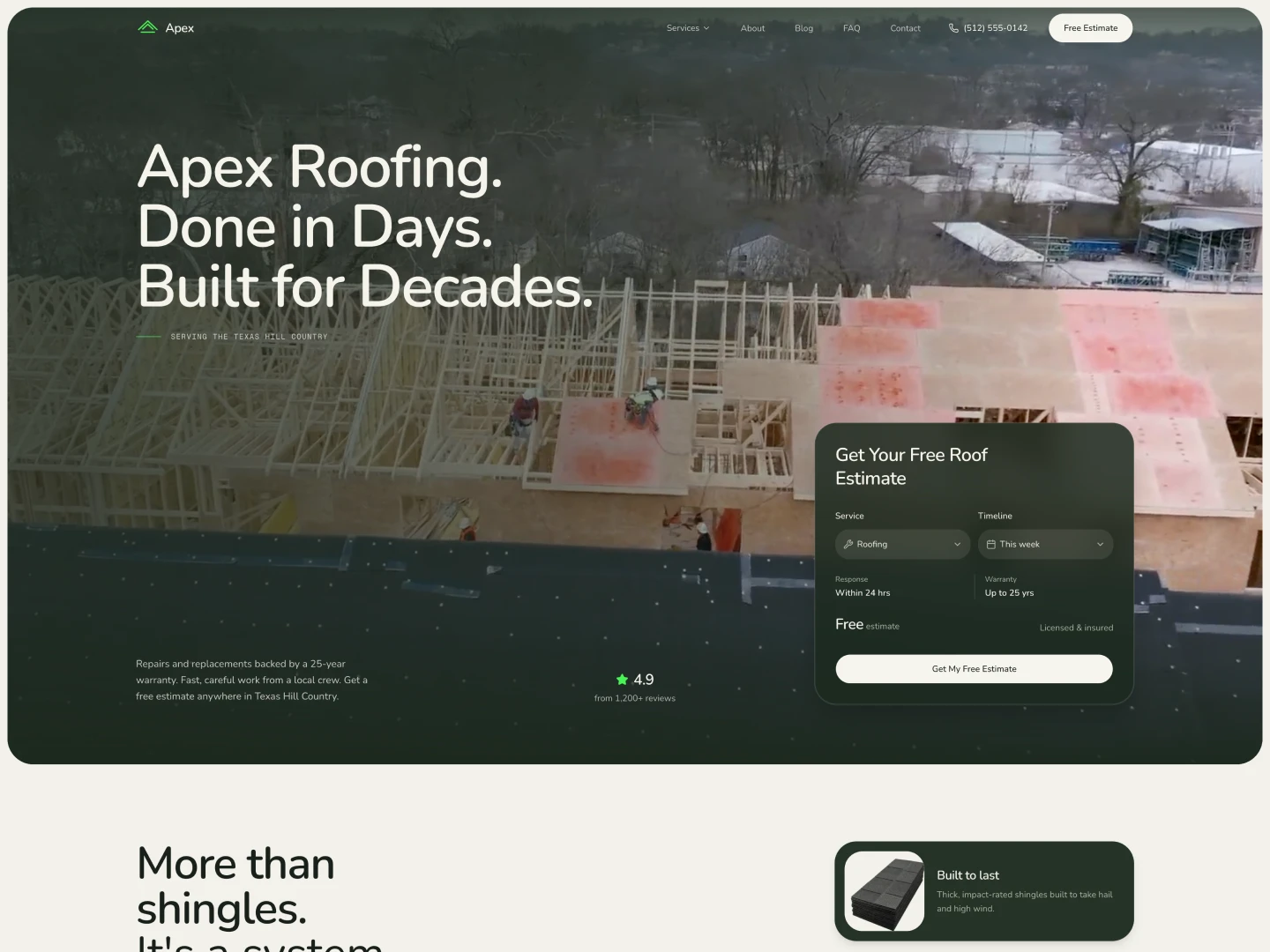
A premium roofing and home services template built on shadcn/ui and Tailwind, featuring before/after image sliders, an inline booking calendar, and MDX-driven services and blog. Available in both Next.js and Astro editions.
Rob Austin
Founder
Released
New Feature: DESIGN.md Theme Guidelines
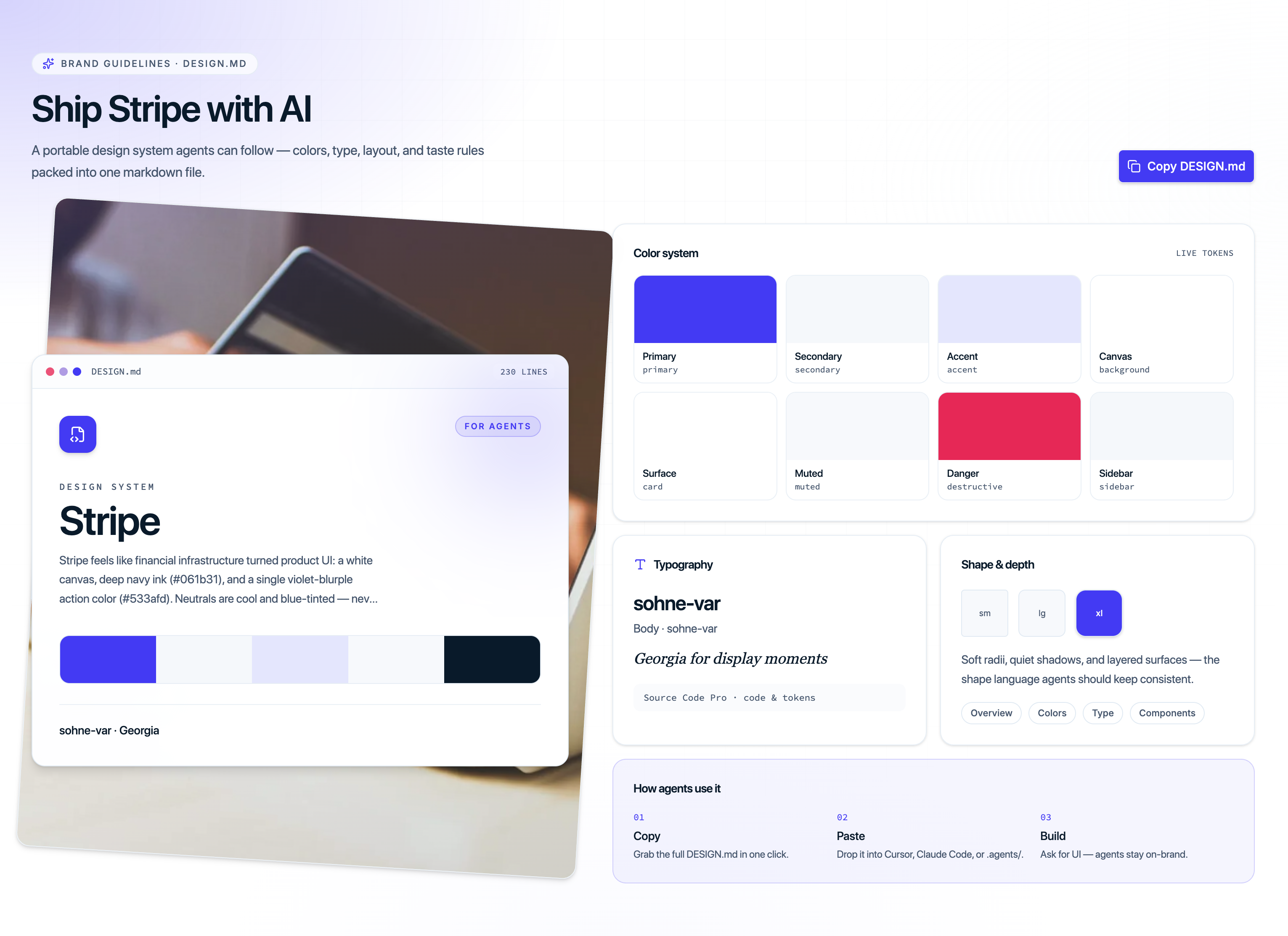
Every shadcn theme now ships with a portable DESIGN.md — brand guidelines written for humans and coding agents. Copy it into your project root (or .agents/) so Cursor, Claude, and other AI tools stay on-brand while they generate UI.
What's inside each DESIGN.md
- Colors — primary, secondary, surfaces, sidebar, charts, and dark-mode pairs as official shadcn CSS variables
- Typography — display, body, label, and mono stacks with size/weight guidance
- Layout & spacing — rhythm, gutters, radius tokens, and section pacing
- Taste rules — what the theme is for, what to avoid, and how agents should apply it
How to use it
- Open any theme page (e.g. Alpine or Vercel)
- Scroll to the Brand guidelines · DESIGN.md section
- Click Copy DESIGN.md and paste into your repo
- Install the theme tokens with the CLI:
npx shadcn@latest add @shadcnblocks/theme/alpine
Tokens style your app; DESIGN.md tells agents how to design with them.
Rob Austin
Founder
Released
New: 13 Shadcn Themes
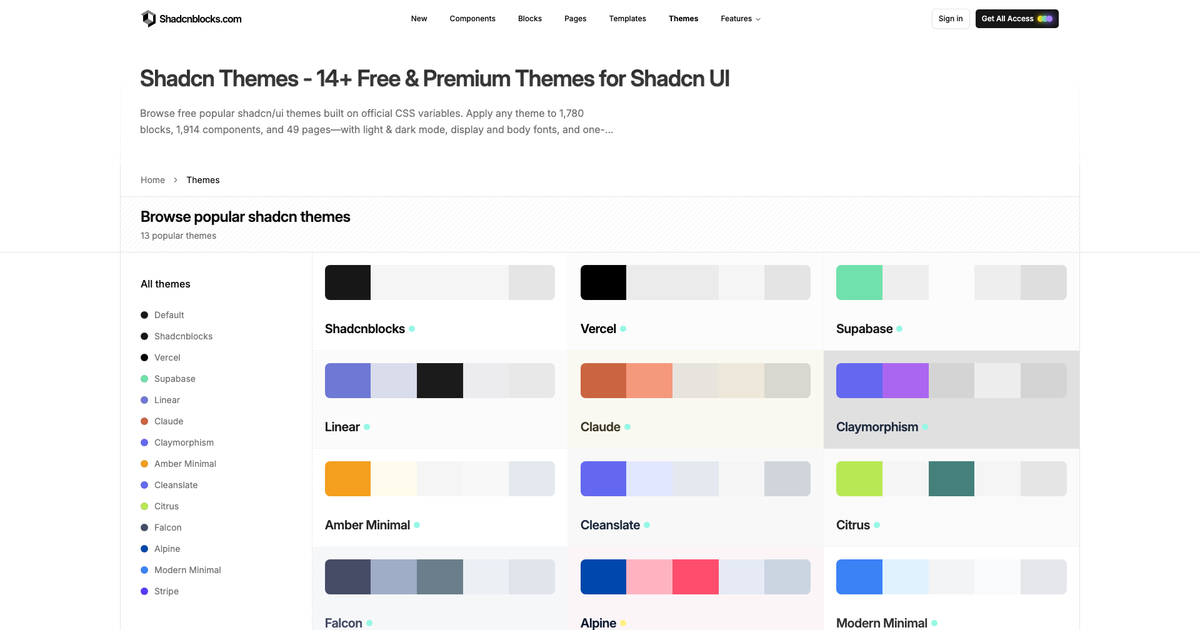
We've launched a curated library of 13 shadcn/ui themes you can browse, preview, and install with one CLI command. Every theme uses official CSS variables—so the same palette applies across our blocks, components, and pages in light and dark mode.
What's included
- 11 free themes — Shadcnblocks, Vercel, Supabase, Linear, Claude, Claymorphism, Amber Minimal, Cleanslate, Citrus, Falcon, and Modern Minimal
- 2 Pro themes — Alpine and Stripe
- Light & dark mode tokens, display/body fonts, and one-line CLI install
- Compatible with Tweakcn, StyleGlide, Tinte, and any editor that exports standard shadcn CSS variables
Browse the themes
Rob Austin
Founder
Released
New Blocks - Jun 2026
Added 73 new blocks
New Blocks
Rob Austin
Founder
Released
New Template - Verdict
A professional small business and services template built on shadcn/ui and Tailwind. Available in both Next.js and Astro editions, ideal for professional service businesses.

Rob Austin
Founder
Released
Shadcn Admin Kit v2.2.0
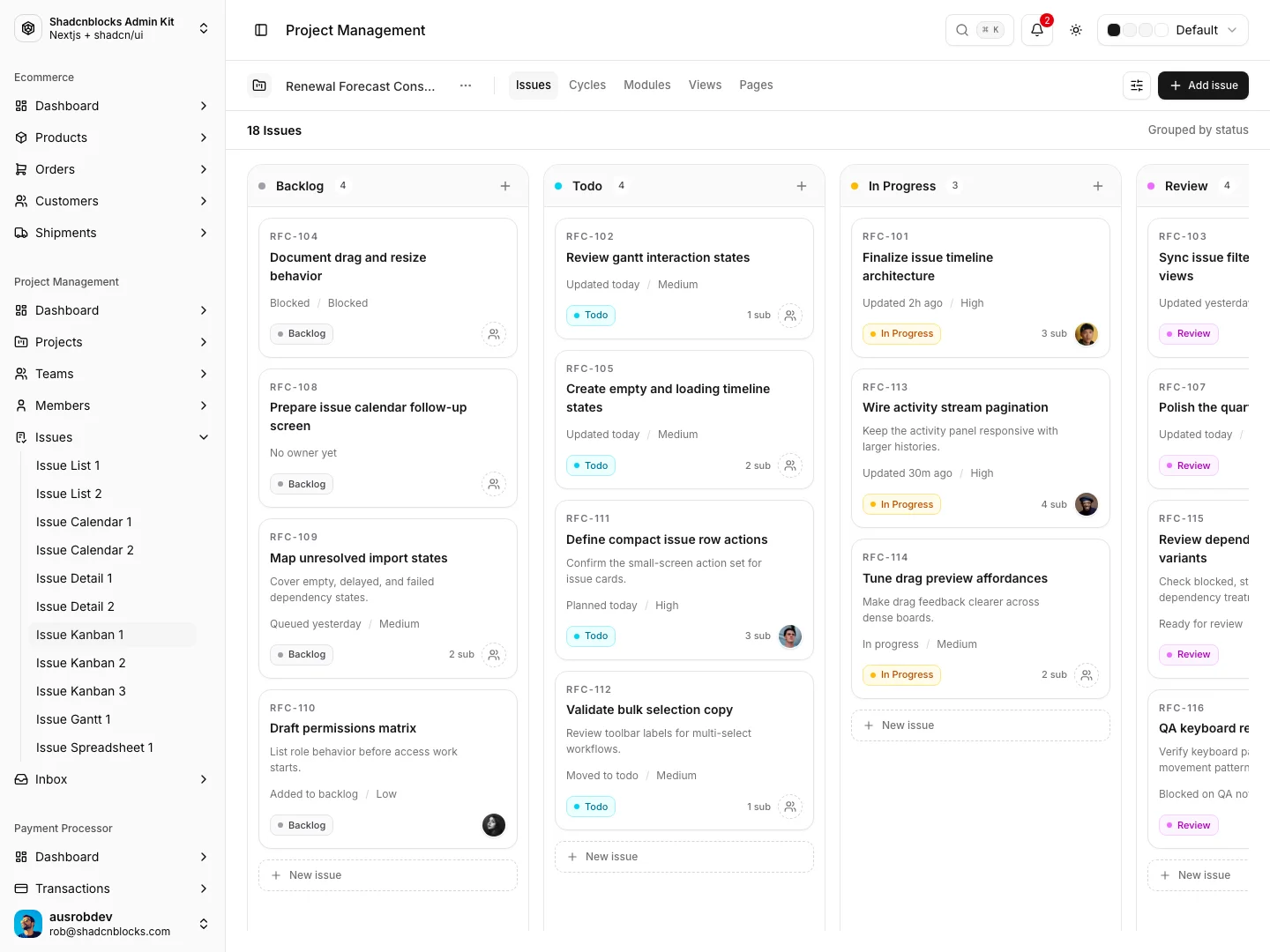
Shadcn Admin Kit v2.2.0 adds two major app sections — Project Management and Todo — integrated into the shared admin shell with sidebar navigation, mock data, and mobile polish throughout.
Project Management App
Adds a full Project Management section under /project-management/*, integrated into the admin sidebar and app shell.
Dashboards (4 variants)
- Dashboard 1 — Command-center workspace with profile rail, work-hour analysis chart, issues table, time tracker, events/focus sections
- Dashboard 2 — Portfolio-style overview with issue map and theme-driven charts
- Dashboard 3 — Project tracking and status visualization
- Dashboard 4 — Dependency dashboard with delivery-flow metrics and insights
Projects
- Project List 1–4 — Card, table, sidebar, and filtered list layouts with sticky section headers and dark-mode polish
- Project Detail 1–2 — Rich detail screens with:
- Tabbed layout (overview, activity, embedded issue views)
- Side rail (notes, files, milestones, schedule)
- Interactive dependency canvas
- Delivery flow panel
- Mobile-optimized header and meta panels
Teams & Members
- Team List 1–3 — Team directory with task-card and card-grid variants
- Member List 1–3 — Table view, card grid, and invite-panel screens
Issues — multiple view types
| View | Routes | Highlights |
|---|---|---|
| List | issue-list-1, issue-list-2 | Plane/Huly-style grouped lists, assignee avatars, dense row layout |
| Kanban | issue-kanban-1–3 | Drag-and-drop reordering, pipeline/status-bar/stats variants |
| Calendar | issue-calendar-1, 2 | Weekly grid, draggable events, editable event drawer |
| Gantt | issue-gantt-1 | Timeline with week/month/quarter views, quick-add footer |
| Spreadsheet | issue-spreadsheet-1 | Spreadsheet-style issue grid with sticky columns |
| Detail | issue-detail-1, 2 | Comments feed, interactive subtasks, linked endpoints, activity pane |
Inbox
- Inbox 1–4 — Support inbox shell, ticket conversations, issue preview/composer, full-width layout
- Inbox Email 1 — Opened email reading view with navigation back to inbox
Shared infrastructure
- Large mock-data layer (
project-details,projects,clients, etc.) - Reusable PM components (gantt, kanban, calendar, issue core, meta/property grids)
- Theme controls for PM-specific styling
- Mobile responsiveness pass across dashboards, lists, gantt, calendar, kanban, inbox, and detail screens
- Sidebar nav group: Project Management with all routes linked
Todo App
Integrates the shadcn-todo-app as a first-class admin app at /todo/*, inside the shared admin layout (sidebar + header).
Core task management
- All Tasks (
/todo) — Main inbox with add/edit/complete/delete - Smart lists — Today, Upcoming, Important
- Projects — Per-project task views (
/todo/projects/[id]) - Create Task — Dedicated full-page create flow (
/tasks/new) - Task Detail — Full page (
/task/[id]) plus intercepting modal (@modal/(.)task/[id]) for in-context editing
View modes
- List — Sortable, filterable task list with manual reorder (drag-and-drop)
- Kanban — Board view by status
- Calendar — Due-date calendar view
Task features
- Priorities, labels, starred/important flag
- Due dates and reminders
- Subtasks and comments
- Sort options: manual, due date, priority, title, created date
- Filters: project, priority, label, starred-only
- In-memory state via Zustand store (mock data, no backend)
Additional pages
- Activity — Task activity log
- Notifications — Notification center UI
- Trash — Deleted tasks (
/deleted) - Settings — Tabbed settings (Account, General, Subscription, Themes, Integrations, Apps)
UX & integration polish
- Moved todo app inside the admin app shell (shared sidebar/header)
- Centralized routing via
src/lib/todo-routes.ts(todoRouteshelper) - Display preferences — Font size, density, text/display font choices
- Search dialog in todo nav
- Friendly not-found page for invalid in-memory task links
- Todo-specific calendar colocated under the route group
- Sidebar nav group: Todo with tasks, projects, and manage links
At a glance
| Project Management (#31) | Todo (#32) | |
|---|---|---|
| Routes | 32 pages | 12 pages |
| Scope | ~172 files, +33k lines | ~141 files, +15k lines |
| Data | Mock JSON / in-memory | Zustand + mock data |
| Sidebar | Dashboard, Projects, Teams, Members, Issues, Inbox | Tasks, Projects, Manage |
Rob Austin
Founder
Released
New Blocks - May 2026
Added 113 new blocks
New Blocks
Rob Austin
Founder
Released
New Template - Meridian
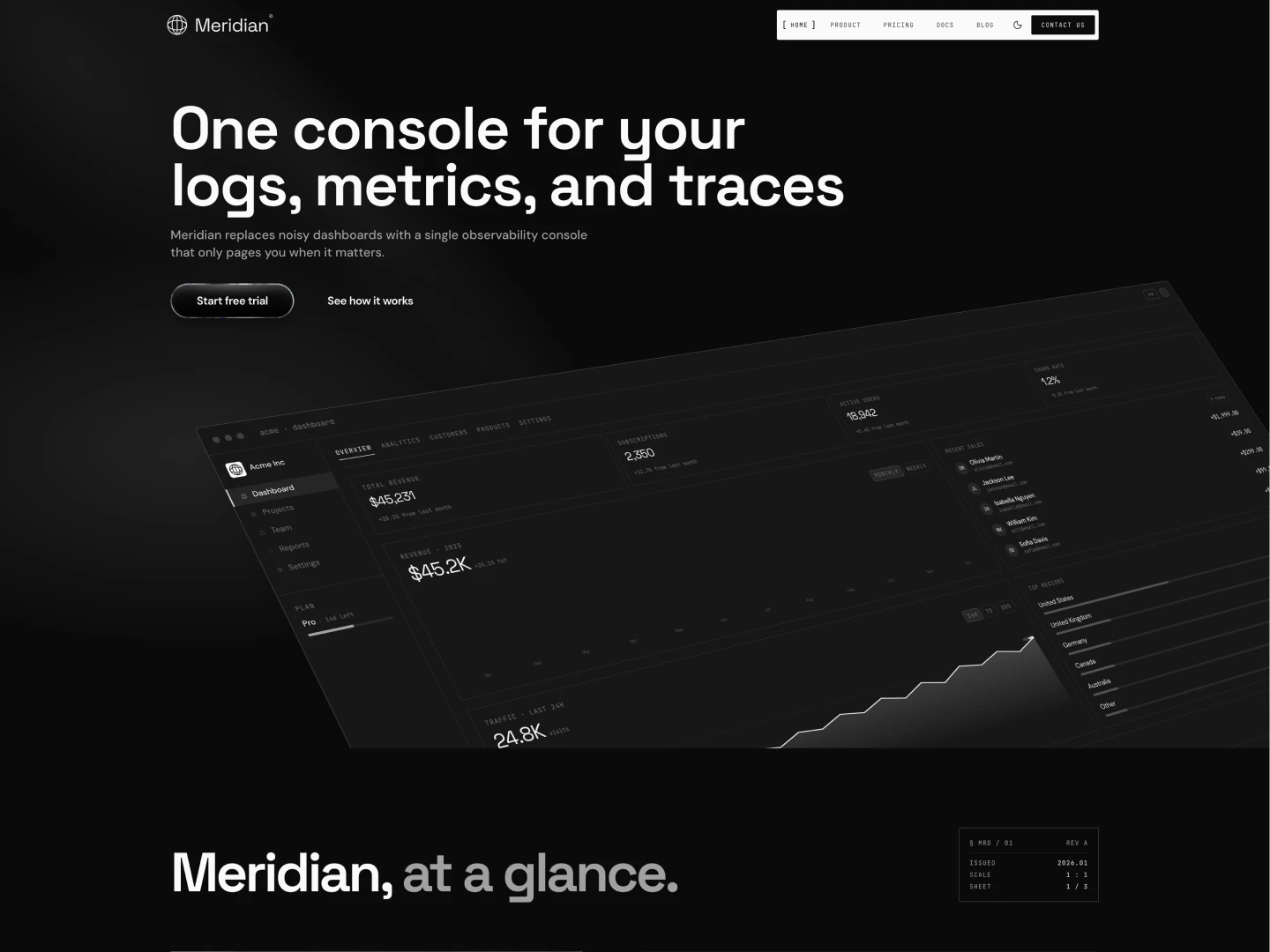
A premium developer tools SaaS template with a signature intro animation, Motion/GSAP interactions, and Fumadocs-powered MDX docs with ⌘K search. Available in both Next.js and Astro editions.
Tech stack:
- Next.js 16 or Astro 6
- shadcn/ui & Tailwind CSS 4
- Motion & GSAP
- Fumadocs MDX docs
Rob Austin
Founder
Released
New Feature - Shadcnblocks IDE Extension
Browse and install shadcn/ui blocks directly from your IDE with the new Shadcn IDE Extension. Search, preview, and install 1300+ blocks without leaving your editor.
What you can do
- Browse blocks in your IDE — Search and preview all 1300+ blocks directly inside VS Code, Cursor, and more.
- One-click install — Install any block into your project without leaving your editor.
- Works with your workflow — Uses the same shadcn/ui CLI under the hood, so blocks land in your codebase ready to use.
Rob Austin
Founder
Released
New Feature - Shadcn Page Builder
You can now compose full pages from Shadcnblocks right inside the site using The new Shadcn UI Page Builder. The Shadcn Page Builder lives in the Explorer alongside blocks and components, so you can browse library pages, open the builder, and arrange sections without leaving the workflow.
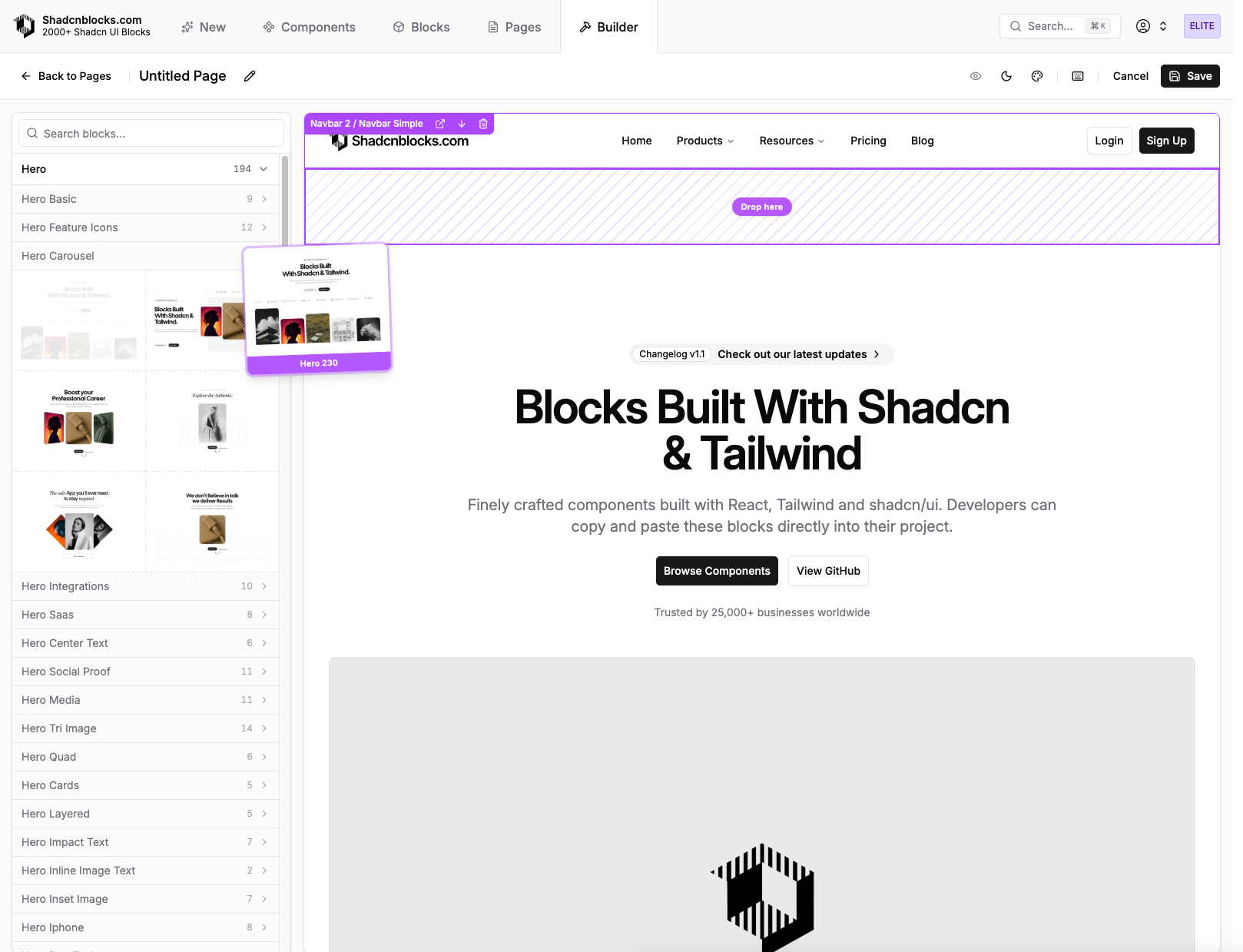
What you can do
- Browse pre-built pages — Explore pre-built pages the same way you explore blocks and components.
- Open the builder — Start from Shadcn Page Builder to create or edit a page layout: add blocks, reorder sections, and tune structure in a dedicated editor.
- Install with the Shadcn CLI — Pull page layouts into your project using the same shadcn/ui CLI workflow you use for blocks and components, so pages land in your codebase ready to extend.
Rob Austin
Founder
Released
New Feature: Pages
We now ship 49+ pre-built pages — complete layouts assembled from the same shadcn/ui blocks you already use. Browse them on Pages, then copy the code or install a page with the shadcn CLI.
Layouts include landing, pricing, about, product, blog, contact, FAQ, changelog, and integrations. Each page is theme-ready for light and dark, and licensed for client and SaaS work.
What you can do
- Browse by type — Open Pages and filter landing, pricing, about, and the rest of the catalog.
- Preview a full layout — Open any page to see the assembled sections before you install it.
- Install with the CLI — Pull a page into your project the same way you install a block or component.
Rob Austin
Founder
Released
New Blocks - Apr 2026
Added 87 new blocks
New Blocks
Rob Austin
Founder
Released
Shadcn Admin Kit v2.0.0
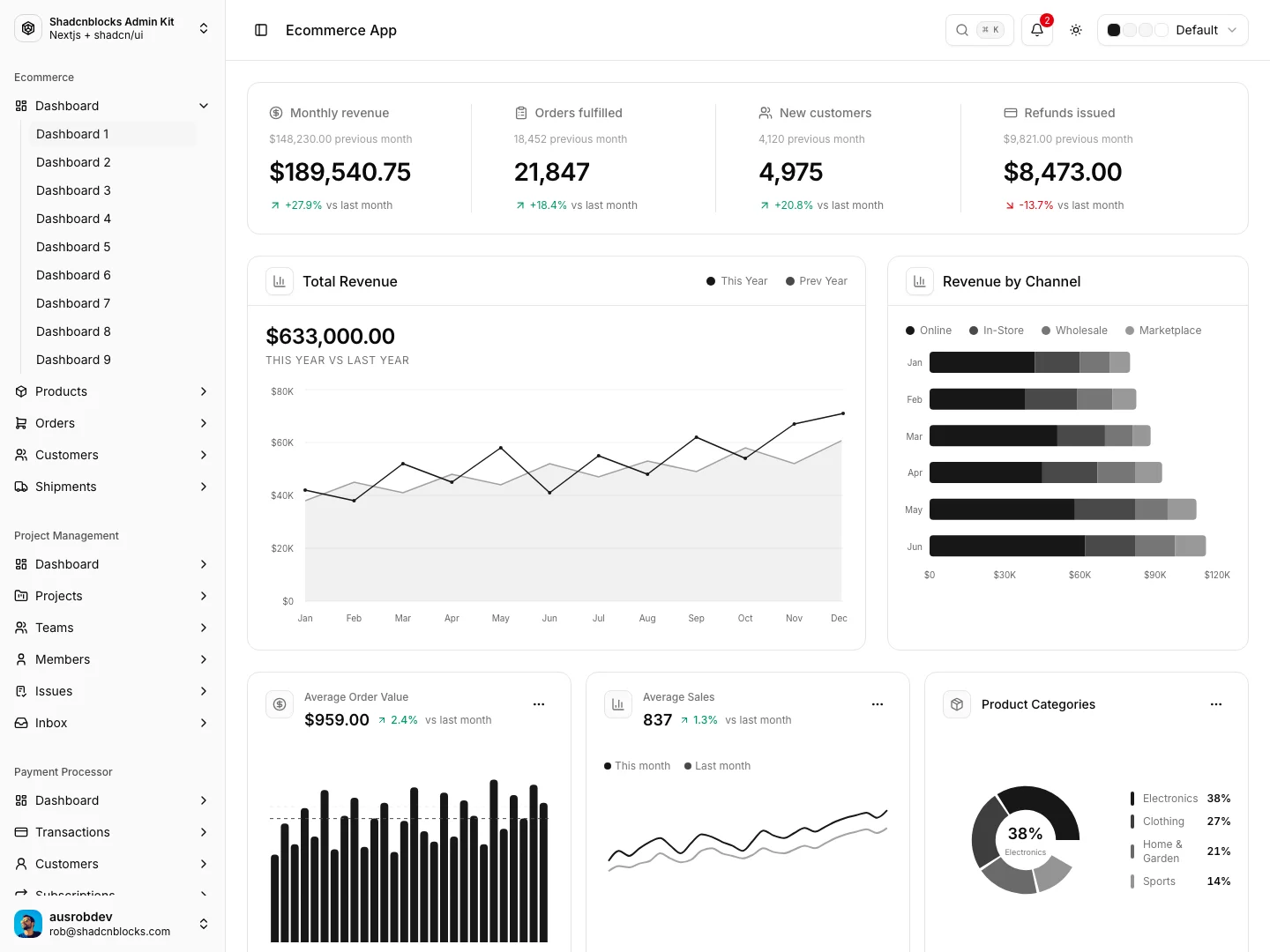
Shadcn Admin Kit v2.0.0 is a platform rewrite: Next.js 16, a refreshed shadcn / Radix stack, and a full ecommerce admin with route groups, shared chrome, and dozens of production-ready pages.
Platform and dependencies
- Next.js 16 and refreshed shadcn / Radix / Sonner stack
- Zod / resolvers updated for v4-compatible schemas
- Recharts v3 and react-day-picker v9 alignment, chart/calendar fixes and sizing
- Shadcn foundation refresh, latest components,
components.jsonupdated to radix-vega
Ecommerce
Dashboards
Multiple dashboard variants (1–4, 6–8, 11–12) with updated menu labeling.
Products
Product list UIs, detail pages, add product, multistep wizard, guided edit, variants, and sheets — plus mobile, filter, card, and mini-chart polish.
Orders
- Order list and order detail (map, journey, activity, mobile header)
- Sales order list/detail, payment sheet, draggable order board
- Status track and filters
Customers & shipments
Lists and detail pages, activity/tabs, and shipping-related flows.
Purchase orders & shipping labels
- Purchase order creation flow and stepped product selection
- Shipping label create/edit split and forms
Routing & UX
Routes aligned with the sidebar, theme toggle on ecommerce pages, list → detail links, split scrolling, plus mobile and a11y fixes.
App structure and v2 refactor
- Route groups and group-level layouts; legacy demos under an
originalgroup - Site config, unified breadcrumbs, homepage redirect, global header for older pages
(dashboard)→(admin)rename- Shared header / subheader, scoped headers, command-style group search (cmdk)
- Developers and original areas aligned to a consistent layout pattern
Search, theme, and UI polish
- Header / search updates (including mobile: search as icon)
- Theme selector; theme preset hydration fix; chart indicator theming
- Dashboard chart interactions and tooltip behavior (block tooltips vs shared defaults)
Rob Austin
Founder