
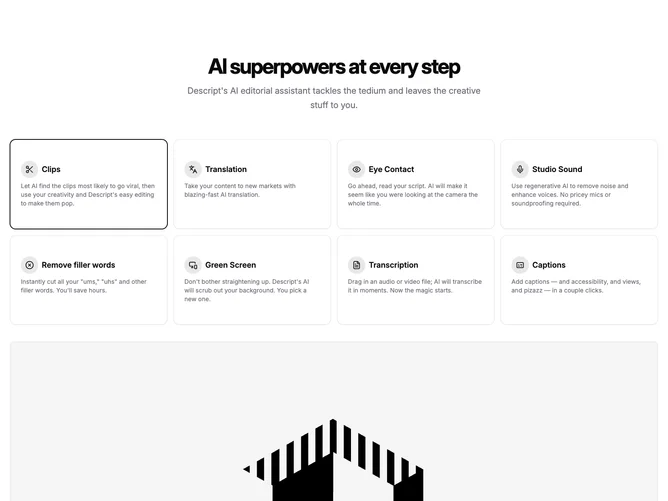
Feature 225 block design & features
Feature225 is an interactive feature catalog built with Shadcn UI tabs semantics even though selection happens through visible cards. Users scan a grid of up to eight tiles laid out in four columns on large screens; each tile shows a circular pastel icon well, a bold title, and muted descriptive copy. Clicking a tile updates an active ring state and swaps the large preview area beneath the grid, which renders an aspect-video frame with the associated illustration or screenshot.
Background stays flat default with emphasis created through outline cards, soft hover elevation, and primary ring focus on the chosen entry. Text hierarchy keeps section headers tight while individual blurbs stay smaller for scannability.
Overall style is friendly product marketing with a tooling vibe and clear panel hierarchy. The interaction pattern is the differentiator compared with static feature rows. Expect a master headline, supporting sentence, and eight parallel content objects with titles, helper text, icons, and imagery paths.
Smaller breakpoints reduce the grid columns first, then preserve the preview stack so the image always follows the interactive band without losing context.