
Navbar 5 block design & features
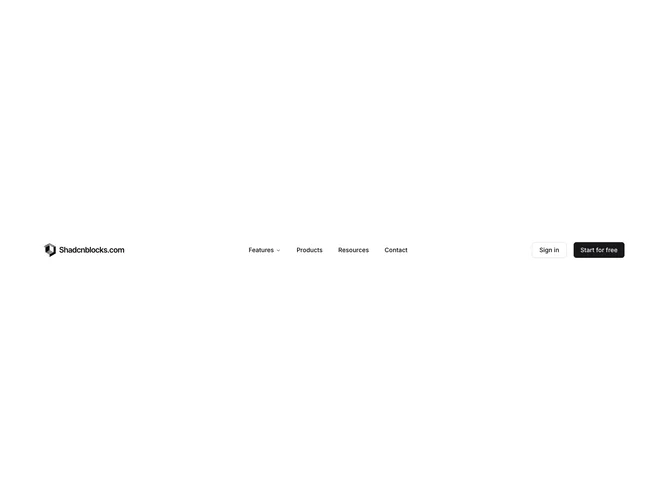
Navbar5 is a straightforward header built with shadcn/ui, with logo and site name on the left, centered navigation, and Sign in plus Start for free buttons on the right. Features opens a fixed-width two-column grid of six links, each with a bold title and muted description covering dashboard, analytics, settings, integrations, storage, and support. Products, Resources, and Contact are single links without panels. Mobile moves navigation into a top sheet with an accordion for Features and plain text links for Templates, Blog, and Pricing.
The layout is airy but compact, using standard navigation trigger styling and a muted hover wash inside the dropdown grid. No icons or imagery appear in menus. Buttons use outline and default variants at full width in the mobile footer stack.
Simple and close to a starter shadcn example: one structured dropdown plus flat links. Good when you need feature marketing blurbs without mega menu weight. Low to moderate complexity with content limited to short titles and one-line descriptions per feature.
The top sheet on mobile scrolls if needed and keeps the logo in the sheet header. Desktop hides the sheet trigger entirely.