Shadcn Help Center Blocks

Browse 2+ Shadcn UI Help Center blocks, sections & components built with React, Tailwind CSS and shadcn/ui. Copy & paste the code or install via the shadcn CLI.

Shadcn UI Help Center Blocks, Sections & Components

A shadcn help center block is a self-service support section where users browse help topics, search FAQs, or reach your team. It appears on product pages, SaaS marketing sites, and ecommerce stores as the main entry point for documentation, common questions, and contact options.

Each block is a self-contained React component which you can copy/paste the code or install via the shadcn CLI. You own the code — customize categories, FAQ copy, search behavior, and contact links using Tailwind utility classes and standard React patterns.

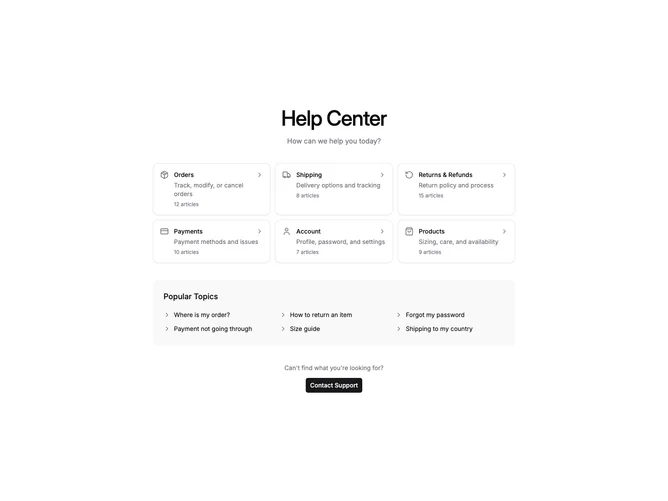
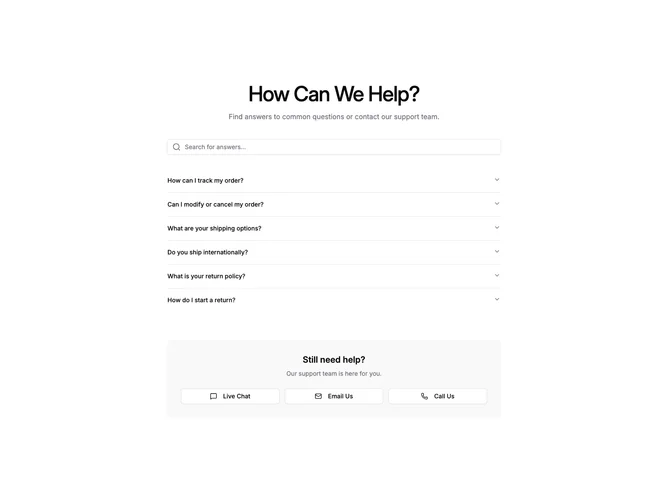
Our help center blocks combine category cards with icons and article counts, popular topic links, search inputs with live FAQ filtering, expandable accordion answers, and contact support buttons for live chat, email, and phone. Layout choices range from browse-first category grids to search-first FAQ sections, with clear hierarchy between self-service content and escalation paths.

Choosing the Right Help Center Section

Different support goals call for different help center sections. Pick the layout that matches how your users typically look for help:

  • Shadcn Help Center Category Cards — A grid of topic categories with icons, descriptions, and article counts, plus a popular topics list and contact CTA. Best when users should explore help by topic before searching or contacting support.
  • Shadcn Help Center FAQ Search — A search input that filters an FAQ accordion in real time, with contact options for live chat, email, and phone below. Best when most visitors arrive with a specific question and need fast self-service answers.

Frequently Asked Questions

How are Shadcnblocks help center blocks built? Shadcnblocks help center blocks are built with React, Tailwind CSS, and shadcn/ui components such as Card, Accordion, Input, and Button.

What technologies are used to build Shadcnblocks help center sections? Shadcnblocks help center sections use React, Tailwind CSS, and shadcn/ui. Interactive blocks add client-side search filtering and accordion state with standard React hooks.

What frameworks do Shadcnblocks help center components work with? Shadcnblocks help center components work with any React-based framework including Next.js, Remix, Astro, and Vite.

Can I customize Shadcnblocks help center blocks? Yes. Every block is source code you add directly to your project. You can modify categories, FAQ items, search placeholders, contact links, and styling using React and Tailwind.

Do Shadcnblocks help center sections support dark mode? Yes. All blocks use shadcn/ui’s theming system and support light and dark mode out of the box.

How do I install a Shadcnblocks help center block? The best way to install a Shadcnblocks help center block is to use the shadcn CLI: npx shadcn add @shadcnblocks/{blockId}.

Can I copy and paste the code into my project? Yes. Every block is ready to copy and paste directly into your project. Click the “code” tab on any block to view the full source.