
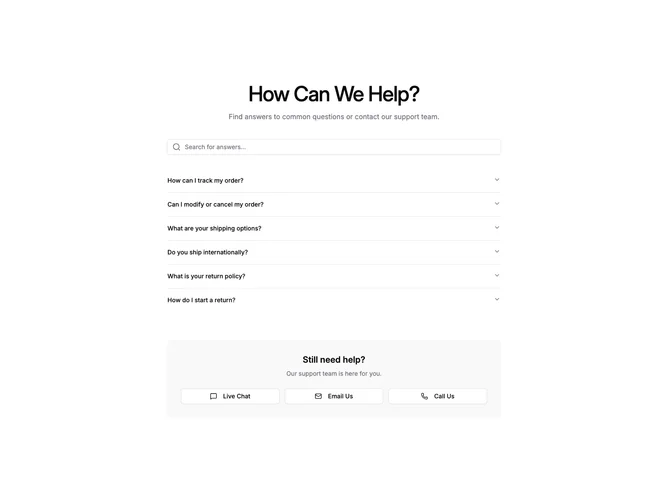
Help 2 block design & features
Help2 is a single-column help center section built with Shadcn UI, stacking three areas vertically: a search Input with a magnifying glass icon, an Accordion of FAQ items, and a contact options panel with three Buttons. The search field filters accordion items in real time as the user types, and each accordion trigger displays the question text while the content reveals the answer.
The section sits on the default background with no outer border. Accordion items are separated by thin divider lines, and the contact panel uses rounded corners with semi-transparent muted fill. Buttons inside the contact panel use outline styling with explicit white backgrounds and leading icons. Generous vertical spacing keeps the three zones visually distinct.
Functionally understated, the block puts self-service discovery ahead of human support channels. Interactivity comes from the controlled search state and single-collapsible accordion, while the visual treatment stays close to default Shadcn UI tokens. You provide an array of FAQ objects with question and answer strings.
Below the medium breakpoint the three contact buttons stack into a single column, and the accordion items remain full-width throughout all screen sizes.