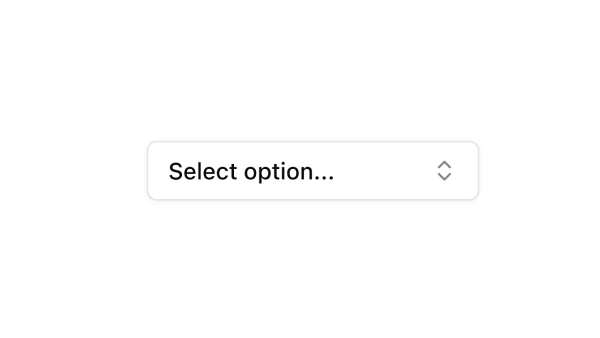
Shadcn Combobox Components

Browse and download 42+ Shadcn UI Combobox components. Built with React, Tailwind and shadcn/ui. These shadcn components are ready to download, copy and paste or install with the shadcn registry.

Recent vs All Items combobox using shadcn Command and Popover.

Nested/Hierarchical Groups combobox using shadcn Command and Popover.

With Footer Actions combobox using shadcn Command and Popover.

Selected Items List Below combobox using shadcn Command and Popover with multi-select.

Async/Dynamic Search combobox using shadcn Command and Popover.

With Item Count in Trigger combobox using shadcn Command and Popover with multi-select.

Loading State combobox using shadcn Command and Popover.

Full Width Variant combobox using shadcn Command and Popover.

Read-Only/View Mode combobox using shadcn Command and Popover.

Error State with Retry combobox using shadcn Command and Popover.

Items with Icons and Descriptions combobox using shadcn Command and Popover.

Multiple Items with Badges combobox using shadcn Command and Popover with multi-select.

With Clear All Functionality combobox using shadcn Command and Popover with multi-select.

Favorites + All Items combobox using shadcn Command and Popover.

With Quick Filters combobox using shadcn Command and Popover.

Clear/Reset Button combobox using shadcn Command and Popover.

Simple Single Select combobox using shadcn Command and Popover.

Items with Descriptions combobox using shadcn Command and Popover.

Categories with Separators combobox using shadcn Command and Popover.

Small Size Variant combobox using shadcn Command and Popover.

Items with Avatars combobox using shadcn Command and Popover.

No Results Variation combobox using shadcn Command and Popover.

Color-Coded Items combobox using shadcn Command and Popover.

With Disabled Items combobox using shadcn Command and Popover.

Items with Action Buttons combobox using shadcn Command and Popover.

Items with Status Indicators combobox using shadcn Command and Popover.

With Max Selections Limit combobox using shadcn Command and Popover with multi-select.

Disabled State combobox using shadcn Command and Popover.

Multiple Groups with Labels combobox using shadcn Command and Popover.

With Default Selected Value combobox using shadcn Command and Popover.

With Item Icons combobox using shadcn Command and Popover.

Items with Metadata combobox using shadcn Command and Popover.

Empty State with Action combobox using shadcn Command and Popover.

Groups with Item Counts combobox using shadcn Command and Popover.

Keyboard Shortcuts Displayed combobox using shadcn Command and Popover.

Collapsible Groups combobox using shadcn Command and Popover.

With Validation Feedback combobox using shadcn Command and Popover.

Create New Option Inline combobox using shadcn Command and Popover.

Large Size Variant combobox using shadcn Command and Popover.

Recent Selections Section combobox using shadcn Command and Popover.

With Checkboxes Visible combobox using shadcn Command and Popover with multi-select.

With Select All Option combobox using shadcn Command and Popover with multi-select.

Shadcn UI Combobox Components

Shadcn combobox components are reusable UI primitives from shadcn/ui. Browse ready-to-use components showing variants, states, and compositions you can drop into forms, dashboards, and marketing pages.

Each component is self-contained React code you can copy and paste into your app. Install the shadcn/ui primitive with the CLI, then customize layout, styling, and behavior to match your product.

The collection covers default and variant styles, sizing, disabled states, form integration, and compositions with related shadcn/ui primitives — plus practical examples and UI patterns for common combobox use cases. Each component is built with React, Tailwind CSS, and accessible Radix UI or Base UI.

Frequently Asked Questions

How are Shadcnblocks combobox components built?
Shadcnblocks combobox components are built with React, Tailwind CSS, and shadcn/ui primitives.

What technologies are used to build Shadcnblocks combobox components?
Each component uses standard React, Tailwind utility classes, and shadcn/ui primitives from the official registry.

What frameworks do Shadcnblocks combobox components work with?
Shadcnblocks combobox components work with any React-based framework including Next.js, Remix, Astro, and Vite.

Can I customize Shadcnblocks combobox components?
Yes. Every component is source code you add directly to your project. You can modify markup, styling, and behavior using standard React and Tailwind.

Do Shadcnblocks combobox components support dark mode?
Yes. Components use shadcn/ui’s theming system and support light and dark mode out of the box.

How do I install the combobox component?
Install the base shadcn/ui component with the CLI: npx shadcn add combobox. Then copy any Shadcnblocks combobox component you need from the library.

Can I copy and paste the code into my project?
Yes. Open any component page and use the code tab to copy the full source into your project.