
Rob Austin - Apr 28, 2026
Shadcn Pages: 49+ Pre-Built Page Layouts for shadcn/ui
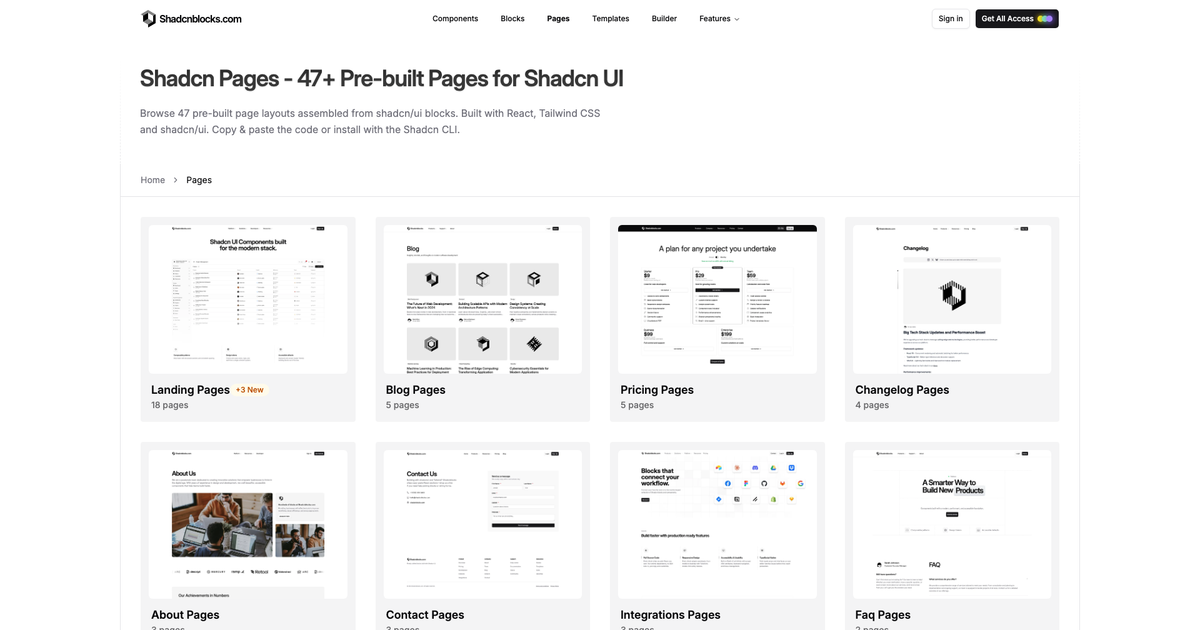
Shadcn pages are full layouts, not another hero. The Pages catalog on shadcnblocks.com has 49+ pre-built pages assembled from the same shadcn/ui blocks you already install. Browse a landing page, a pricing page, or a blog index, then copy the code or add the page with the shadcn CLI.
This is a different product from a multi-page template and from the page builder. A page is one complete route. A template is a whole site. The builder is how you compose a custom page from blocks when none of the stock layouts fit.
What is a shadcn page?
Each page on shadcnblocks.com/pages is a vertical stack of sections: nav, hero, features, social proof, pricing, FAQ, footer, and whatever that page type needs. The sections come from the block library. The page is the wiring.
You can:
- Filter by type on Pages: landing, pricing, about, product, blog, contact, FAQ, changelog, integrations, and feature
- Preview the full scroll before you install
- Install with the same registry command you use for a single block
- Restyle the page with any theme. Light and dark are already wired
Licensing matches the rest of the library. Client work and SaaS products are fine. See the license.
Pages vs blocks vs templates
| Blocks | Pages | Templates | |
|---|---|---|---|
| What you get | One section | One full route | A whole sitemap |
| Typical use | Swap a hero | Ship a landing or pricing URL | Start a company site |
| Install | shadcn add one id | shadcn add a page id | Zip + pnpm install |
| Count | 2000+ | 49+ | 20 sites, Next.js and Astro |
If you already have an app and need a marketing URL, start on Pages. If you need home, blog, legal, and docs together, start on Templates. If you only need a better hero, stay on Blocks.
The Admin Kit is the dashboard equivalent: 139 screens, not a marketing page.
How to install a shadcn page
- Open Pages and pick a type.
- Open a page and copy the CLI command, or ask MCP to add it.
- Drop the page into your Next.js or Vite app the same way you add hero1.
- Swap individual sections from the block catalog if one band is wrong.
- Apply a theme so the page matches the rest of the product.
You can also save pages into a collection with blocks and components, then install the set in one command.
Setup for first-time CLI users is in the blocks getting started guide.
Frequently asked questions
Are shadcn pages the same as templates?
No. A page is one layout. A template is a multi-page Next.js or Astro site (home, pricing, blog, legal). Use pages when you already have a repo. Use templates when you want the sitemap.
Can I mix pages with my own blocks?
Yes. Pages are assembled from blocks. Replace any section, or add more from the library and from component examples.
Do pages work with Base UI and component styles?
Yes. The same Base UI and style options that apply to blocks apply to pages. See the style docs and Base UI docs.
If you have been assembling landing pages one block at a time, skip that. Open shadcnblocks.com/pages, pick a layout, and install it. Then steal sections from Blocks only where you disagree with our stack.
— Rob