
Rob Austin - Sep 10, 2025
Shadcn MCP: Install Blocks from Cursor and Claude with Natural Language
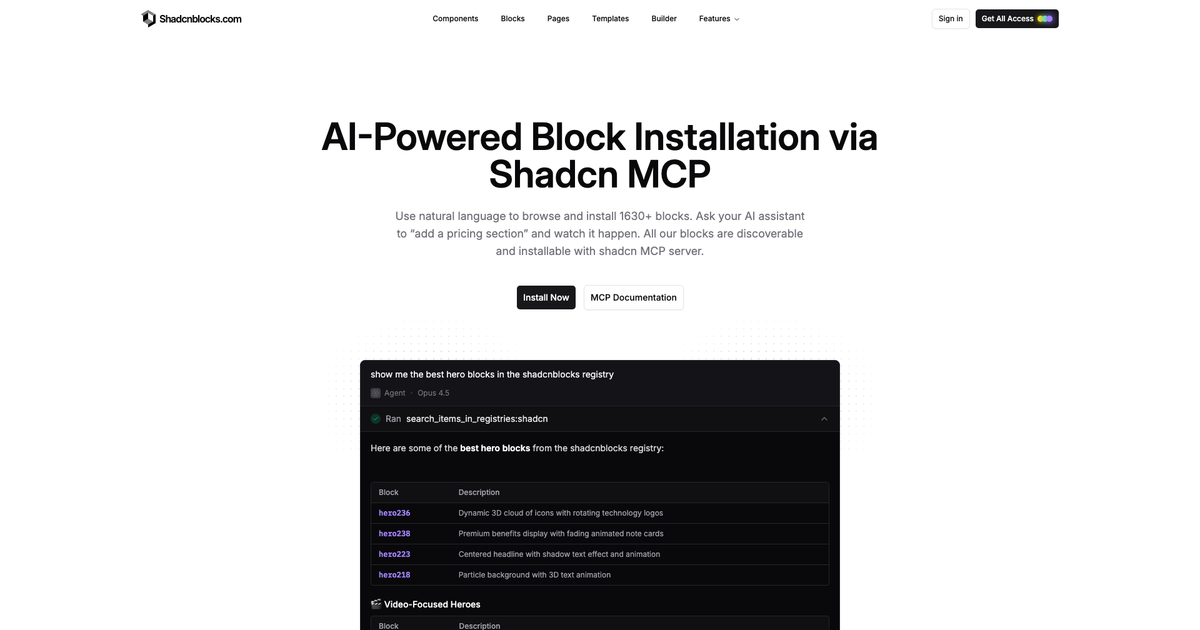
Shadcn MCP connects your AI editor to a component registry. Instead of copying an npx shadcn add command from the browser, you ask Cursor or Claude to add a pricing section and it searches the registry, picks a match, and installs the files.
The server itself is maintained by shadcn/ui. Shadcnblocks is a registry that server can talk to. The product page is Shadcn MCP. Setup steps are in our MCP docs and the official shadcn MCP guide.
What MCP does that the CLI does not
The shadcn CLI is the right tool when you already know the id: hero1, pricing4, a page slug. MCP is for the step before that. You describe the section. The model lists candidates from the registry and installs one.
That is the same library you browse on Blocks, Components, and Pages. Pro items still need a registry key. The key stays in your environment. See namespaced registries if you are wiring components.json for the first time.
You do not have to choose only MCP. Many people use MCP to find a block, the IDE extension to preview source, and the CLI in CI.
Quick setup
Pick a client. The commands match the MCP docs.
Cursor
pnpm dlx shadcn@latest mcp init --client cursorVS Code (Copilot)
pnpm dlx shadcn@latest mcp init --client vscodeClaude
pnpm dlx shadcn@latest mcp init --client claudeThen point the project at the Shadcnblocks registry the same way you do for the CLI. Once that is set, prompts like “add a testimonial section” or “show me the best hero blocks in the shadcnblocks registry” resolve against our block catalog.
What to ask it for
MCP is strongest on named jobs:
- A hero, pricing, or footer when you do not care which variant
- A full landing or pricing page when you want a whole route
- Extra component examples (tables, sidebars, command palettes) next to stock shadcn/ui
- A theme when the palette is the missing piece
Frequently asked questions
Is Shadcn MCP a Shadcnblocks product?
The MCP server is official shadcn/ui. shadcnblocks.com/shadcn-mcp is our guide for using that server with our registry. You can attach other registries in the same client.
How is this different from the IDE extension?
The IDE extension is a visual browser: thumbnails, source, one-click install. MCP is conversational. Use both. Docs: extension and MCP.
If you already live in Cursor, skip the tab hop. Set up Shadcn MCP, keep the CLI docs nearby, and install from Blocks by talking to the editor.
— Rob