
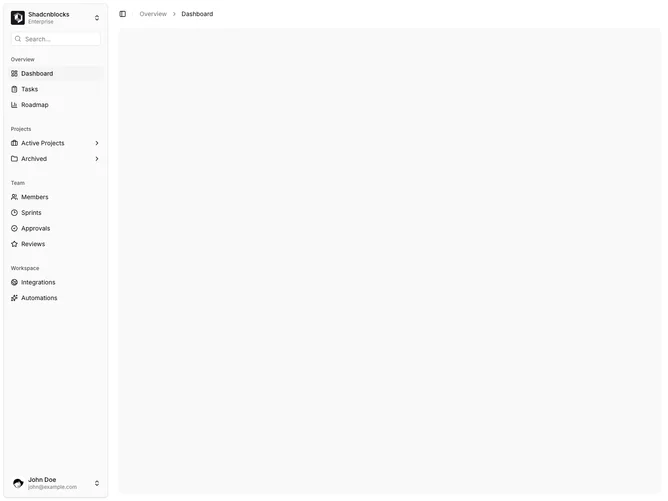
Sidebar 9 block design & features
Sidebar9 is a floating app shell built with Shadcn UI. The sidebar sits off the canvas as a rounded, detached panel. Its header holds a workspace switcher (logo tile, name, plan) and a search field with a leading search icon. The scrollable body uses labeled groups for Overview, Projects, Team, and Workspace. Project rows expand inline to nested links. The footer is a user row with avatar, name, email, and a menu for account and log out. The main column opens with a collapse trigger, a short vertical rule, breadcrumbs, and a muted rounded placeholder.
Surfaces follow default sidebar tokens: muted section labels, compact icon-and-label rows, and a larger user control. The floating panel has more corner radius and a clearer edge than a flush rail. Search stays quiet. The active Dashboard row is highlighted. Chevrons rotate when a nested list opens.
The impression is standard dashboard chrome with a slightly softer, contained rail. The floating variant is the main difference from an edge-to-edge sidebar. Complexity is moderate and content-driven: you need workspace names and plans, a real nav tree, and a user record.
The parent breadcrumb hides on narrow viewports. A rail on the sidebar edge collapses the panel to icons.