
Calendar 26 block design & features
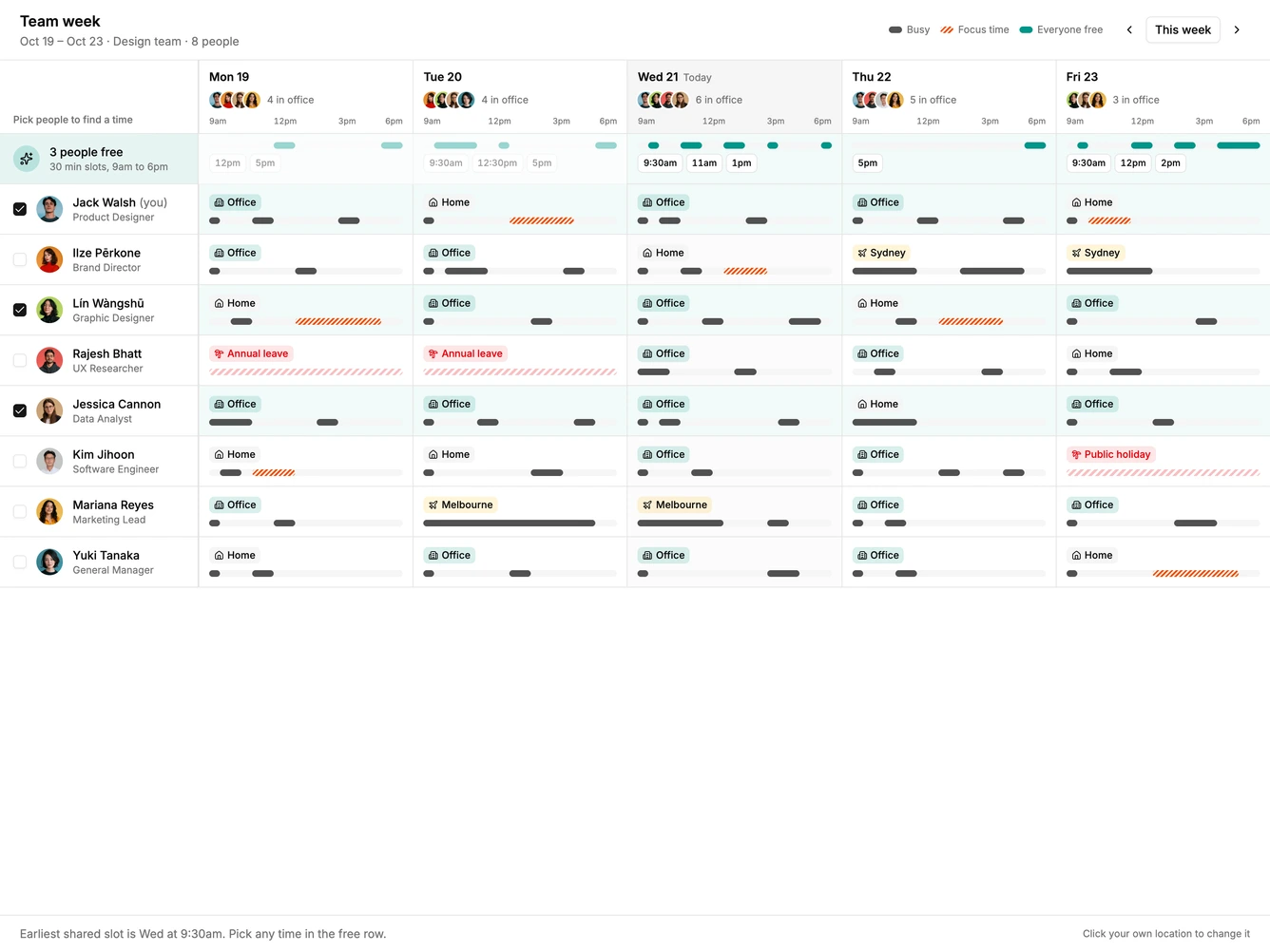
Calendar26 is a team week board built with Shadcn UI Avatar, Button, and Checkbox. People are listed down a pinned left column with a checkbox, avatar, name, and role, and the five workdays run across. Each cell shows a working location chip for office, home, travel, or out, and a thin bar across the workday with busy blocks and striped focus time. Day headers show who is in the office with a small avatar stack and a count.
Ticking two or more people adds a highlighted row that merges everyone's calendars into shared free time, with clickable start times for each day. Choosing one outlines that half hour on every selected person's bar and opens a footer with the attendees and a send invite action. The current user's location chips can be clicked to cycle through office, home, travel, and out.
The style is compact and information dense, using small chips and slim bars so a whole team fits on screen, with a single teal accent for free time. Combining working location with a free time finder is an uncommon calendar pattern. Content-driven: it needs team members and their busy times for the week.
On a narrow screen the people column stays pinned while the days scroll sideways.