
Calendar 20 block design & features
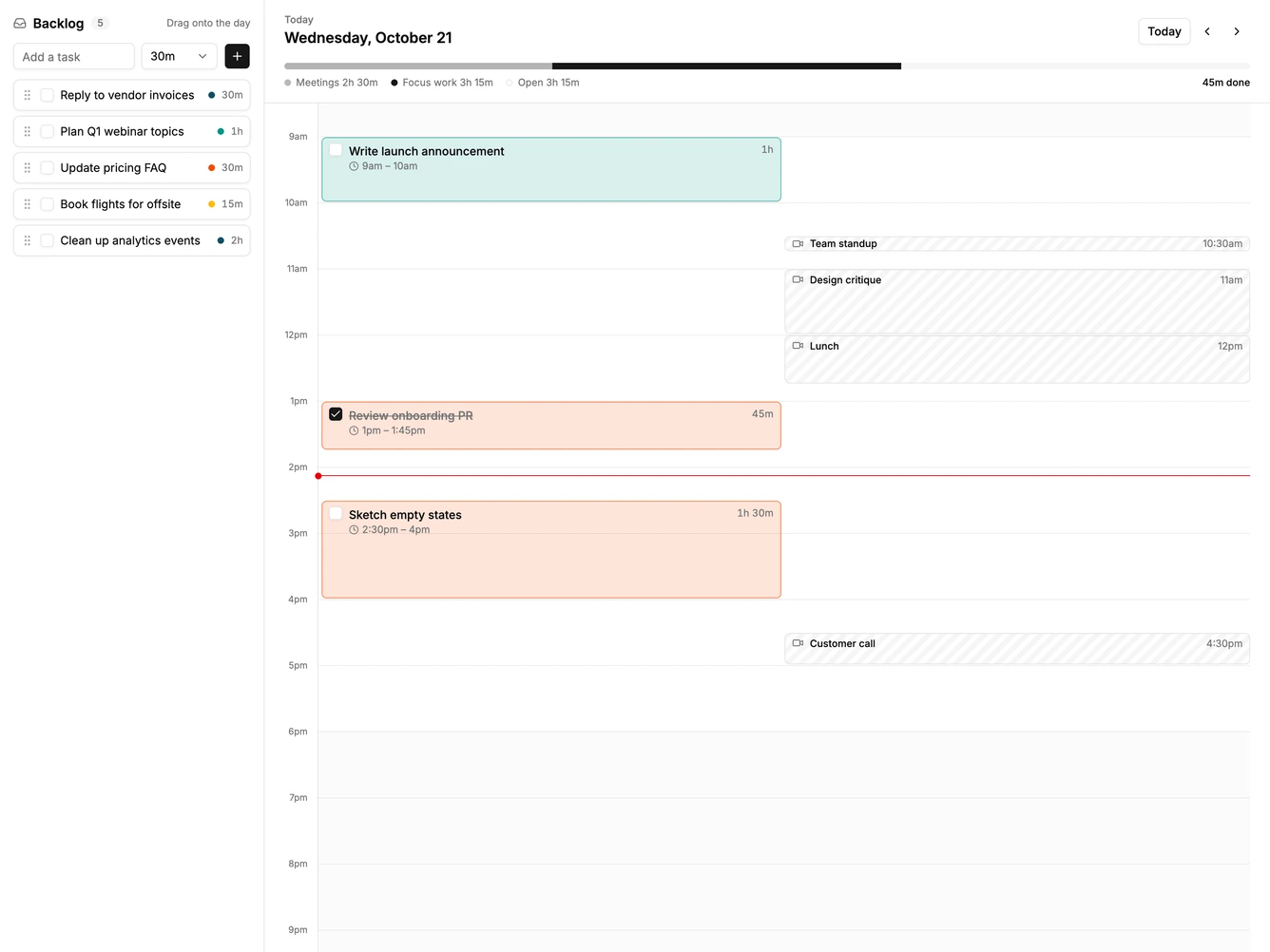
Calendar20 is a time blocking planner made with shadcn/ui Button, Checkbox, Input, and Native Select. A backlog column lists tasks with a project dot and a time estimate, plus a quick add row. Beside it, a single day timeline shows meetings on one side and planned task blocks on the other, under a header with day navigation and a workload bar split into meetings, focus work, and open time.
Dragging a task from the backlog onto the timeline schedules it at the hovered quarter hour, with a dashed preview of where it will land. Blocks can be dragged to a new time, stretched from their bottom edge to change the estimate, checked off, or dropped back on the backlog to unschedule them. The workload bar turns red when meetings and tasks overflow the workday.
Visually it is calm and utilitarian, with tinted task blocks, striped meeting blocks, and shaded hours outside the workday. Planning tasks into a calendar, rather than only listing meetings, is the distinctive idea and is a less common pattern. Content-driven: it needs task titles, estimates, and a few meetings.
On a narrow screen the backlog stacks above the timeline and meetings share the full width of the day.