
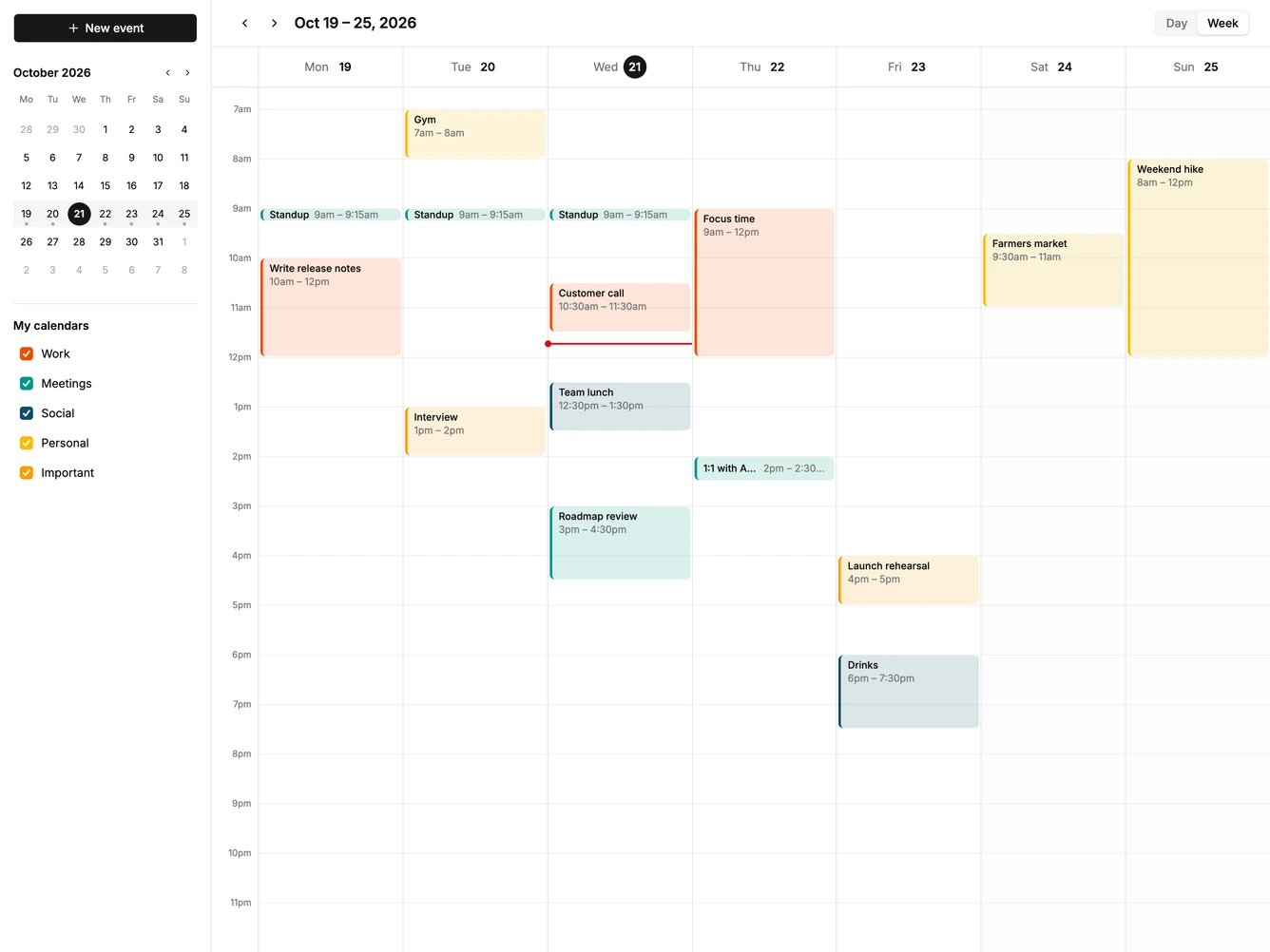
Calendar 18 block design & features
Calendar18 is a day and week scheduler built with shadcn/ui Button, Dialog, Field, Input, and Textarea. A left sidebar holds a new event button, a mini month that highlights the visible week, and a list of calendars with colored checkboxes that show or hide their events. The main area has previous and next arrows, the date range, and a day or week switch, above a 24 hour grid that opens scrolled to the morning.
Dragging down an empty part of the grid draws a new event and opens a dialog with the times filled in, and a single click adds a one hour event. Events can be dragged to another time or day, stretched or shortened from the handle at the bottom, and clicked to edit or delete. Clicking a day header jumps into that day's view, where notes show inside longer events.
Overlapping events sit side by side, weekends are lightly shaded, and a red line marks the current time. Colors come from the theme chart palette. It is the most complete of the schedule views and a good base for a calendar app. Content-driven: it needs events with times and a few notes.
On smaller screens the sidebar hides, a compact add button appears in the header, and the week view scrolls sideways.