
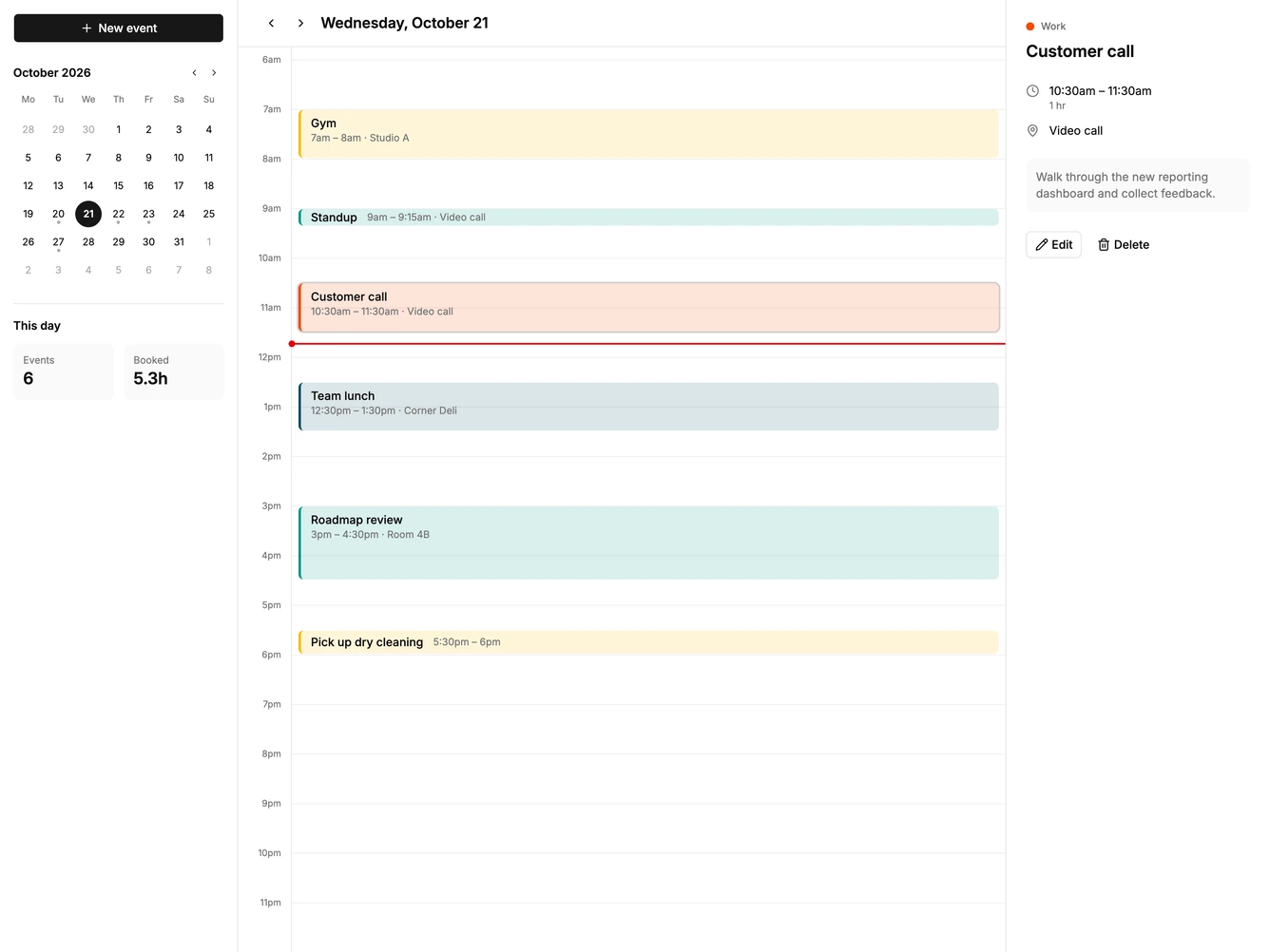
Calendar 12 block design & features
Calendar12 is a day view calendar built with shadcn/ui Button, Dialog, Field, Input, and Textarea. A left sidebar holds a new event button, a mini month with dots on busy days, and two small stats for the number of events and booked hours. The middle column shows the selected day as a full 24 hour grid that opens scrolled to the morning, with a current time line on today.
Hovering the grid previews a quarter hour slot, and clicking it opens a dialog with the time filled in, plus fields for location and notes. Clicking an event selects it and shows its calendar, time, duration, location, and notes in the right panel, with buttons to edit or delete. Double clicking an event opens the edit dialog directly.
The layout is a calm three column app shell with tinted, color edged event blocks from the theme chart palette. It suits a personal planner or an appointment app focused on one day at a time. Content-driven: it needs events with times, places, and notes.
On smaller screens the sidebars hide, and clicking an event opens the edit dialog instead of the details panel.