
Blog 37 block design & features
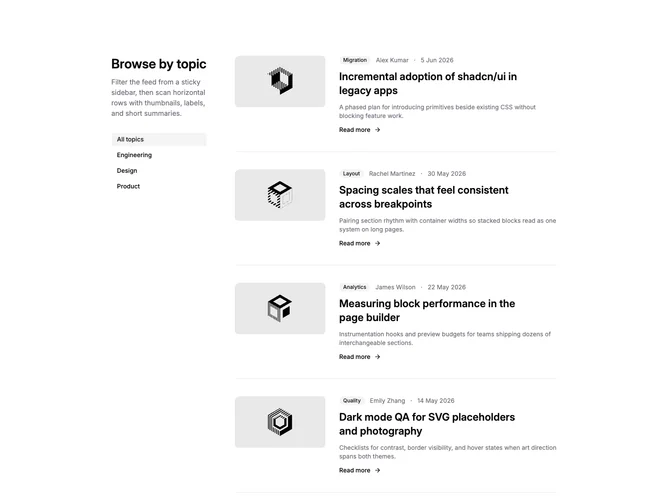
Blog37 is a client-filtered blog section built with shadcn/ui Badge, Button, Card, and Separator components. A two-column grid places a sticky left sidebar with the section heading, short description, and vertical ghost buttons for each category, including an all-topics option. The wider column lists filtered posts as horizontal rows: linked landscape thumbnail, secondary badge with author and date, linked headline, muted summary, and read-more link with arrow. Separators sit between rows in the active result set.
Selected category buttons pick up a filled secondary background while idle filters stay transparent ghost buttons. Thumbnails use bordered rounded frames and a hover opacity shift; cards remain shell-only with no elevation so the split layout reads as one continuous feed. Filtering happens in memory when a button is pressed, instantly narrowing rows without a full page reload.
The layout feels utility-forward and browseable, combining sidebar wayfinding with compact thumbnail rows rather than a text-only archive or centered grid. It is more elaborate than static row blocks because you maintain category values on posts plus a category list, but still simpler than paginated resource hubs. Content volume and category breadth drive how useful the filter rail feels.
On smaller screens the sidebar becomes a wrapped horizontal chip row above the feed, and each post stacks image over copy before returning to the horizontal thumb-plus-text arrangement on wider breakpoints.