

Blog 1 block design & features
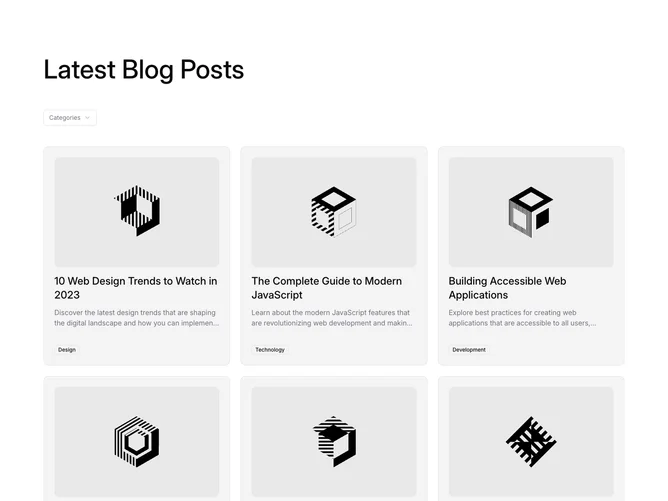
Blog1 is a three-column post grid built with Shadcn UI Select and Badge. A left-aligned heading sits above a single "Categories" dropdown, and below it up to six cards fill the grid. Each card holds a 3:2 cover image, a linked title, a two-line summary, and an outline badge naming the post's category, pinned to the bottom of the card.
Of the cards in this family, these are the most enclosed: a soft tinted fill, a hairline border, rounded corners, and even inner padding, with the cover set inside that padding as its own rounded frame. Semibold titles sit over smaller muted summaries, and the outline badge is the only meta on the card. Hovering dims the cover slightly and underlines the title, each as its own link. There is no entrance animation.
The result is tidy and contained, close to default shadcn card styling. The dropdown in the header is what separates it from its siblings, but out of the box it is a visual control only and needs to be connected to the grid before it filters anything. Content needs are light: a cover photo, title, summary, and category for each post.
The grid runs one column on mobile, two at medium widths, and three on large screens. Because the badge is pushed to the bottom edge, badges line up across a row even when summaries differ in length.