
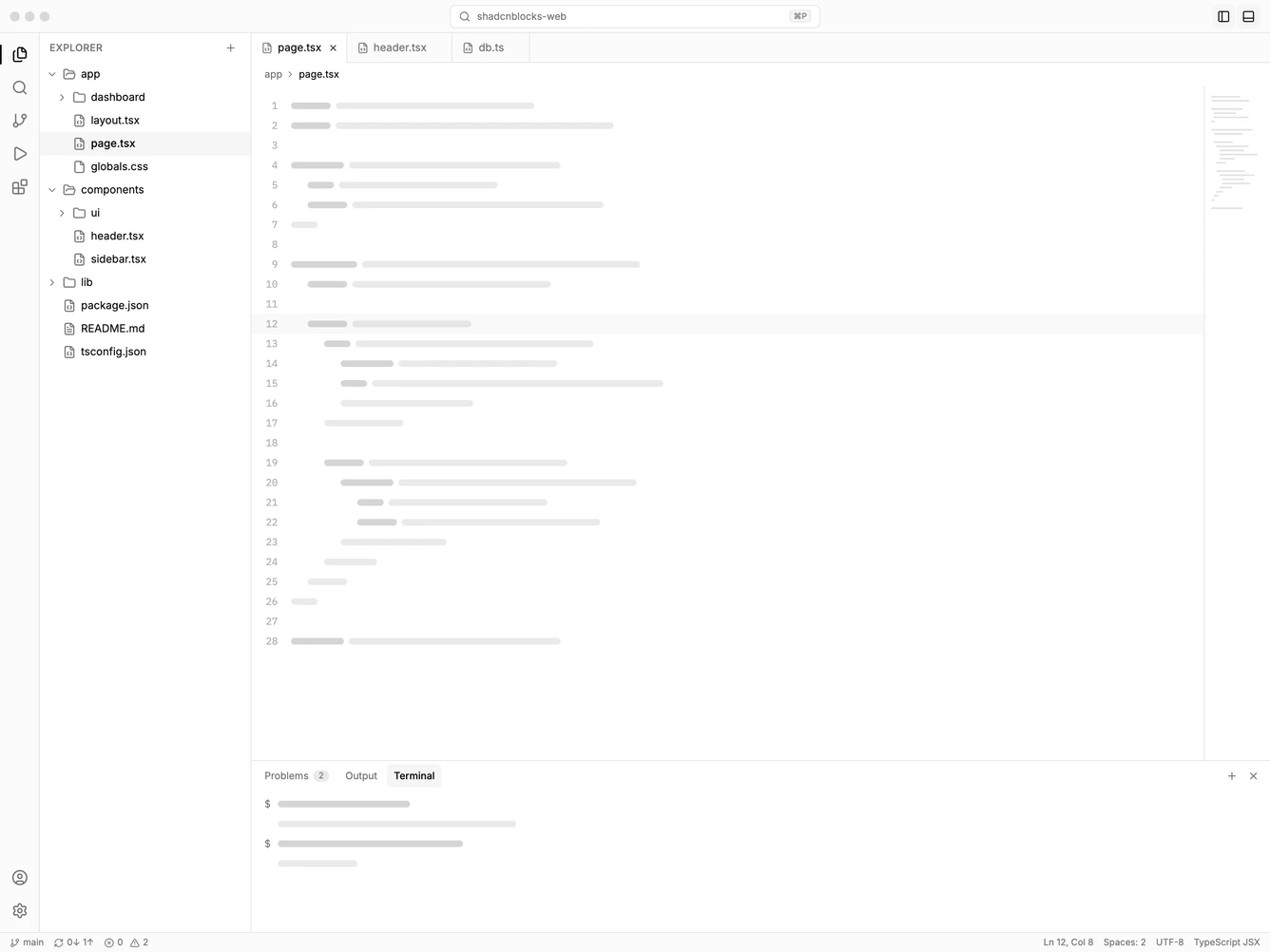
Application Shell 48 block design & features
ApplicationShell48 is a desktop IDE application shell built with Shadcn UI. A slim title bar holds window controls, a search button that opens a command palette, and toggles for the sidebar and bottom panel. The palette searches every file and runs commands to toggle the sidebar or panel and close all editors, and it opens with Cmd+P.
An activity bar switches the sidebar between Explorer, Search, Source control, Run and debug, and Extensions. Clicking the active view collapses the sidebar. The explorer is a folder tree with animated chevrons, and opening a file adds a tab. Tabs can be switched and closed, and the active tab sits flush with the editor.
The editor area shows a breadcrumb for the open file and skeleton code lines with line numbers and a minimap. A bottom panel has Problems, Output and Terminal tabs, and a status bar shows the branch, problems, cursor position and file language. Cmd+B toggles the sidebar and Cmd+J toggles the panel. On small screens the sidebar opens as an overlay next to the activity bar.