
Todo 6 block design & features
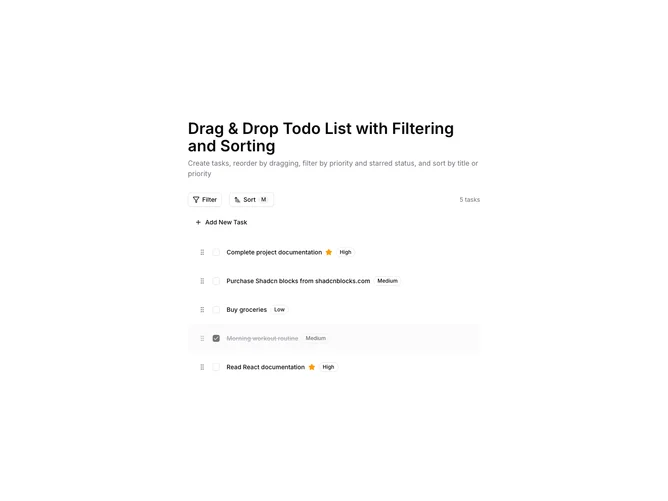
Optimize task management with this shadcn UI component that combines dynamic drag-and-drop interaction with filtering and sorting features. This shadcn block is designed to help users categorize their tasks effectively, providing a seamless experience to prioritize and organize items as per urgency and importance. The component allows users to drag tasks visually, promoting ease of use and a more intuitive reordering of tasks within the list.
This shadcn component stands out due to its comprehensive feature set—integrating task creation, deletion, and modification within a single interface. Users can filter by priority and status, and toggle between different sorting methods, such as manual, alphabetical, or by priority importance. Additionally, the component includes visual feedback options such as badges for priority and icons for starred tasks, enhancing the overall clarity and usability of task management. With its flexible design, this component represents a modern approach to managing personal workflows, using shadcn UI functionality to ensure a fully-featured, user-focused interface.