
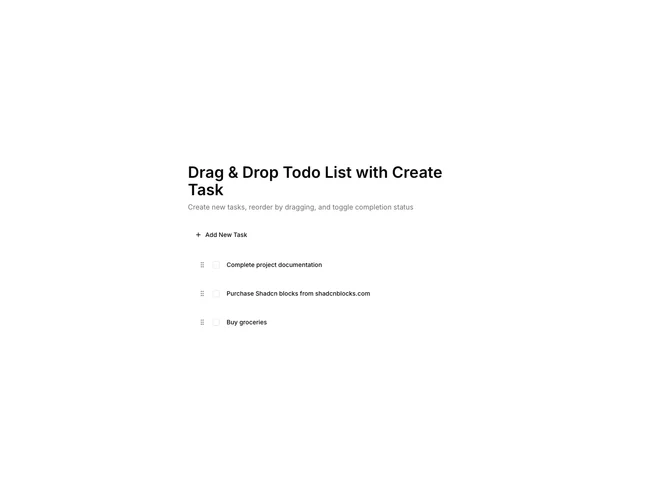
Todo 4 block design & features
The component is a dynamic task management interface that allows users to create, organize, and manage their to-do items with ease. It utilizes a drag-and-drop system to efficiently rearrange tasks within the list by dragging and repositioning them to a desired location. This feature provides users with a visual and interactive way to prioritize tasks according to their changing needs. Complemented by a straightforward task creation and completion toggling mechanism, users can maintain an organized and productive workflow tailored to their preferences.
In more detail, this component stands out as a shadcn ui for personal task organization through its intuitive design and interaction capabilities. Users initially see a clean interface that lists existing tasks along with actionable buttons for adding new tasks. On initiating a new task creation, users are provided a seamless input form to specify task details, which can be quickly added to the list with a button click or Enter key press. The drag-and-drop functionality empowered by shadcn components enables a fluid sorting experience, allowing users to adjust task priorities on-the-fly. Additionally, the inclusion of visual cues, such as task strikethroughs for completed tasks, enhances the clarity and status visibility of tasks, making this shadcn block component a practical and user-friendly choice for task management.