
Shipments 1 block design & features
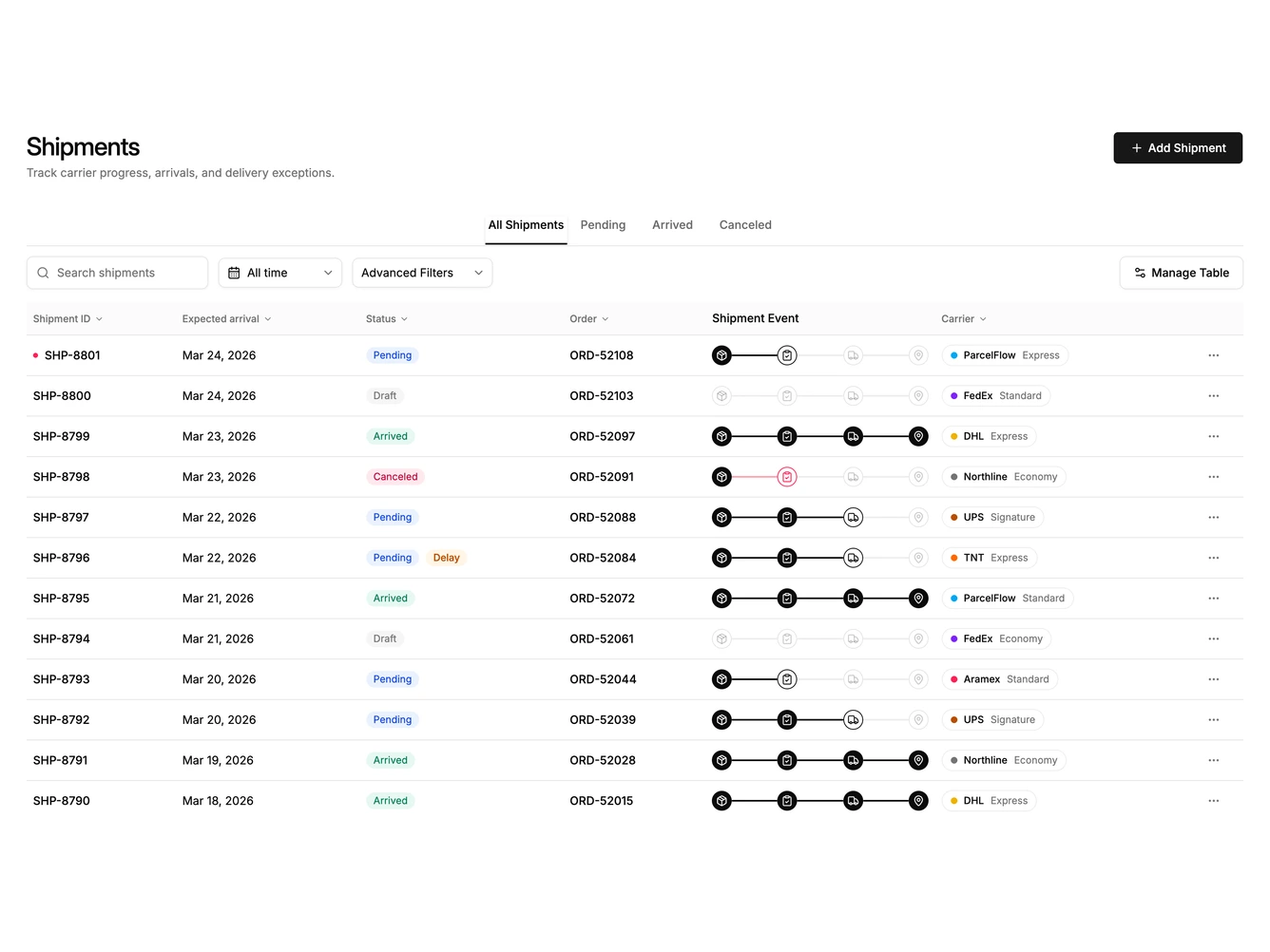
Shipments1 is a full-width shipment list built with shadcn/ui tabs, table, selects, and badges. The header shows a Shipments title, short supporting line, and an Add Shipment action. Status tabs filter All, Pending, Arrived, and Canceled. A toolbar adds search, date range, service filter, and a Manage Table menu that toggles columns. Desktop rows show shipment ID, expected arrival, status badges, order ID, a four-step event rail, and a carrier pill. Mobile stacks the same records as cards.
Light background with muted table header and hairline borders. Status badges use soft blue, muted, emerald, rose, and amber fills. The event rail mixes filled and outline icon circles connected by thin progress lines. Carrier pills sit in rounded outlines with a colored status dot. Spacing is compact in the toolbar and roomier in the page intro. Sorting headers use small chevrons. No motion beyond hover underlines and menu opens.
This reads as a practical ecommerce operations list rather than a marketing table. The event rail and exception badges give it more identity than a plain status column. Complexity is moderate and content-driven. You need a realistic set of shipment IDs, order IDs, carriers, service levels, and stage summaries for the filters and rails to feel useful.
On smaller screens the table hides and cards take over. Tabs and filters remain above the list so operators can keep narrowing results without leaving the page.