
Settings Profile 2 A block design & features
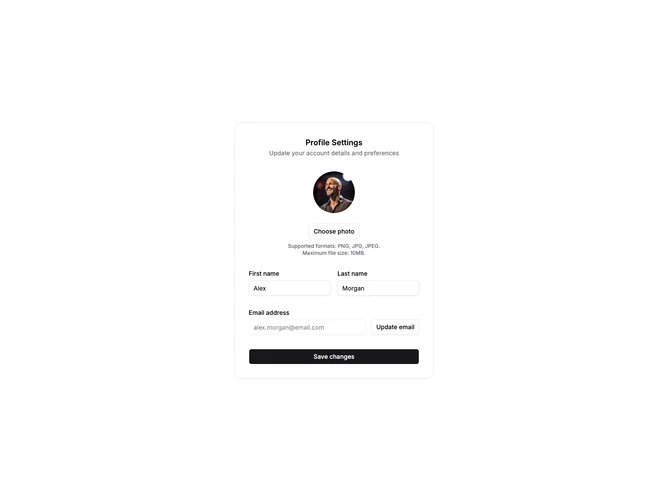
SettingsProfile2a is a profile settings panel built with shadcn/ui, wrapping a centered avatar upload area, personal information fields, and save action inside a bordered card with section heading and supporting description. The photo control shows a circular preview or initials fallback, a choose-photo button, and format guidance beneath the upload action.
Form fields for first name, last name, and email sit in a responsive two-column grid on wider screens with labels above each input; email is presented as read-only account context. A save button anchors the bottom of the card after the field groups.
Compact and card-based with moderate complexity from local avatar preview state. Suited to account settings views that want a single contained panel rather than a full-width workspace form. Content needs include default user values, heading copy, and supported image format messaging.
On small screens the grid collapses to one column while the avatar block stays centered above the inputs.