
Products Bundle Hotspot 6 block design & features
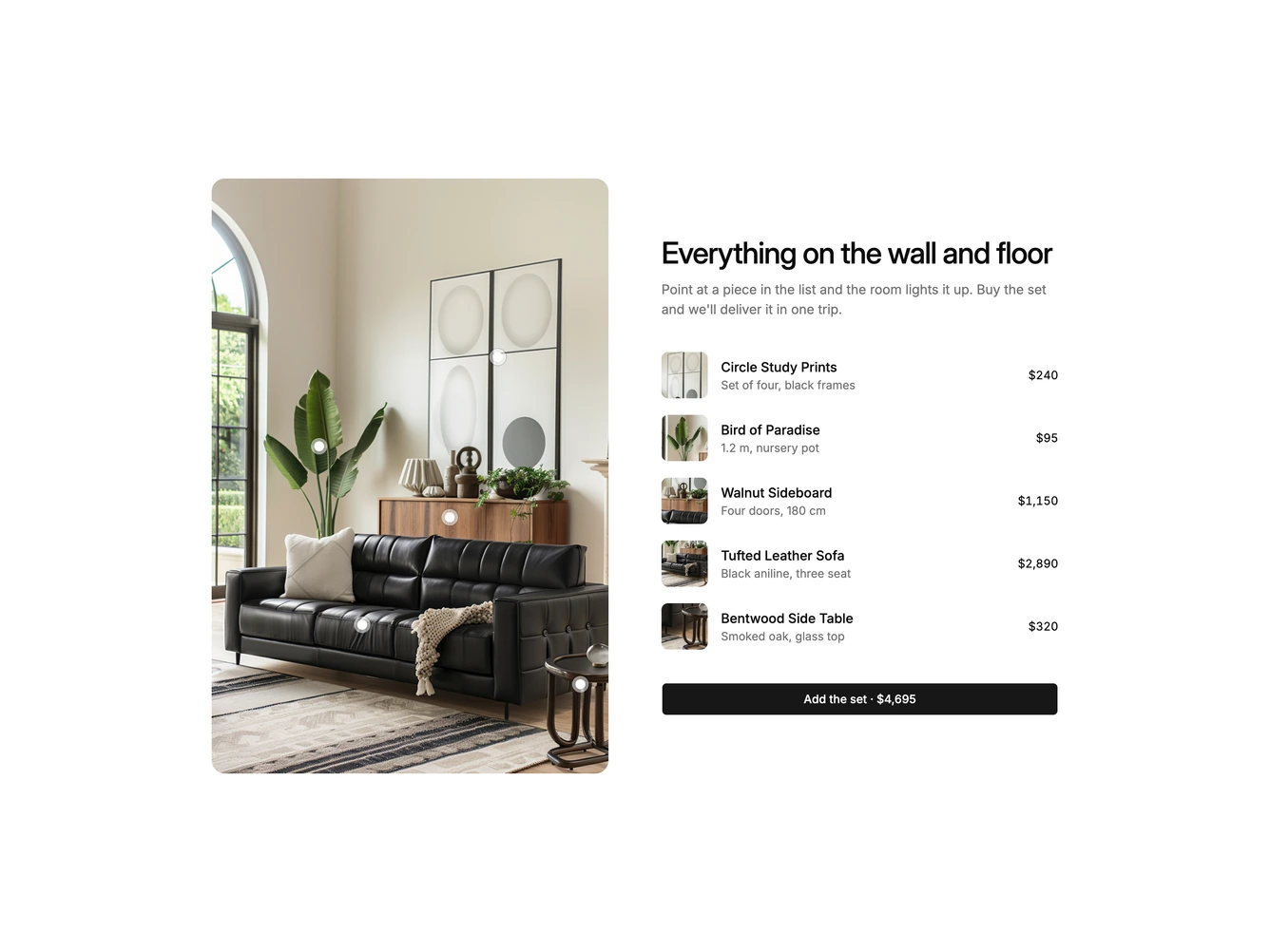
ProductsBundleHotspot6 places a tall living room photo beside a heading, a description, a list of the room's pieces and an add the set button with the total price in this Shadcn UI block. Each list row has a square thumbnail cropped from the photo, the piece name, a short detail and its price, and small round pins mark the prints, plant, sideboard, sofa and side table on the photo.
Hovering a row or a pin washes the photo with a soft veil of the background colour everywhere except an oval around that piece, so the item stays lit while the rest of the room fades back. Moving between rows glides and reshapes the oval from one piece to the next, the active row gets a muted fill, and the other pins step out of the way. Leaving the list clears the spotlight and the full photo returns.
The effect is gentle and gallery-like, a distinctive way to connect a list to a photo without popovers or cards over the image. It is moderately complex and works best with a styled room photo where each piece has some space around it. Content needs are one portrait photo and, for each piece, a name, detail, price, pin position and the centre and size of its spotlight. On small screens the photo stacks above the list.