
Invite User 4 block design & features
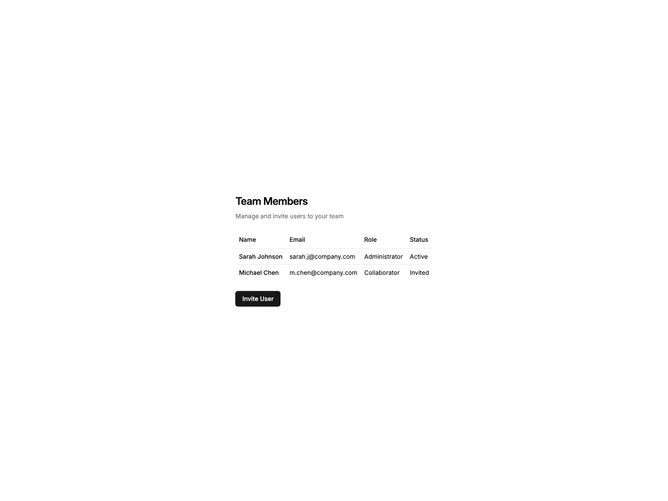
InviteUser4 displays a user table with an invite dialog that offers two methods: email invitation and shareable link. The dialog shows an email input field with role selector at the top, and a copy-link card below with the invite URL and copy button. The table shows existing users with name, email, role, and status columns.
Light background with the dialog split into two sections. The email section uses standard input and select styling. The copy-link card has a muted background with the URL displayed in a read-only input and a copy button that shows a checkmark on success. The copy button transitions from copy icon to check icon after clicking.
This variant provides flexibility by offering both direct email invites and shareable links. The copy-to-clipboard functionality with visual feedback is a nice touch. Useful for teams where members might share invite links through other channels.