

Invite User 3 block design & features
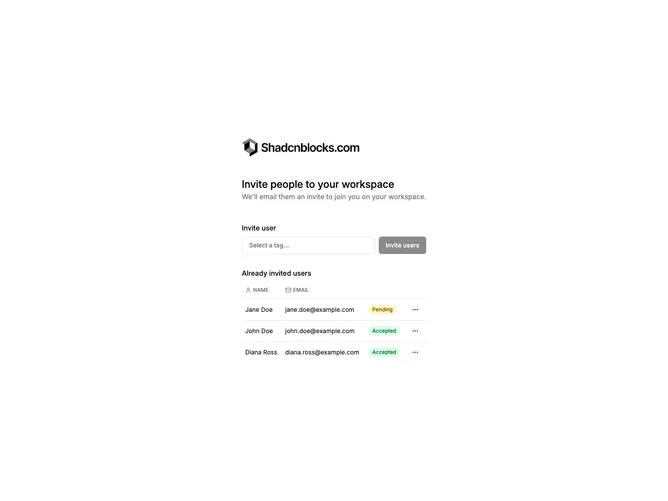
InviteUser3 features an inline tag input above the user table for adding email addresses. The table displays users with name, email, and status columns. Status shows as Pending or Accepted badges. Each row has a dropdown menu with actions like resend invite or remove. The tag input allows adding multiple emails as removable chips.
Light background with the tag input using a pill-style container. Email tags appear as removable badges with X buttons. Status badges use colored variants for Pending and Accepted states. The dropdown menu appears via a three-dot button on each row. Send button sits next to the tag input.
This variant provides a more streamlined inline invite experience without opening a modal. The tag-based input is better for adding multiple emails quickly. The status badges and row actions make managing pending invites easy.