
Help 3 block design & features
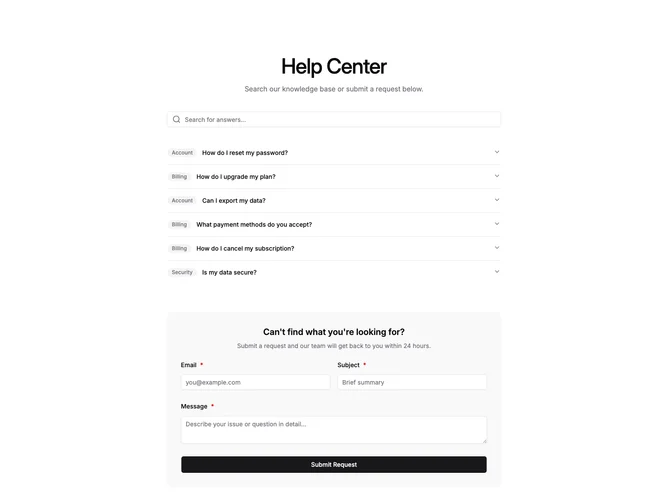
Help3 is a single-column help center section using shadcn/ui, stacking a search Input, an Accordion FAQ, and a contact form inside a muted container. The search field filters FAQ items live, and each accordion trigger displays an optional rounded category badge alongside the question text. The form at the bottom collects email, subject, and message through validated Field components, submitting with a full-width Button that shows a spinner during processing.
No outer border wraps the section. Category badges use small muted pill styling, the accordion has thin divider lines between items, and the form container is rounded with semi-transparent muted fill. Inputs inside the form use explicit white backgrounds to contrast against the muted panel. A green success banner fades in after successful submission and auto-dismisses.
The layout is utilitarian, prioritizing self-service discovery before ticket submission. Complexity is moderate because the block manages search state, accordion interaction, form validation via zod, and submission feedback simultaneously, though the visual design remains restrained with default Shadcn UI tokens.
On smaller viewports the side-by-side email and subject fields stack into a single column, while the accordion and search remain full-width throughout.