
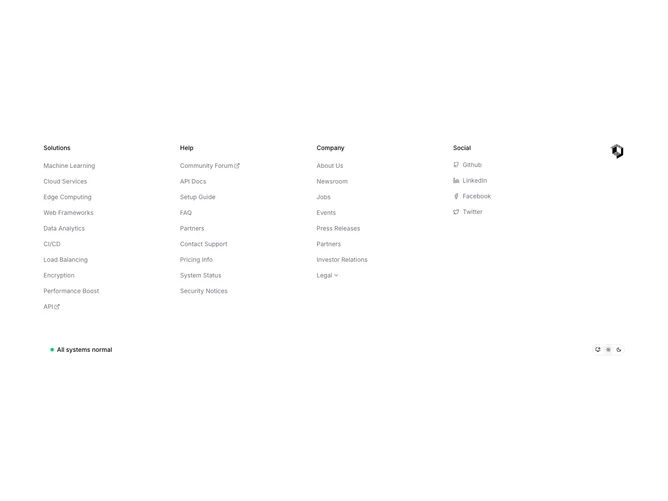
Footer 17 block design & features
A five-column grid holds three navigation sections (Solutions, Help, Company), a Social column with icon-labeled links, and a logo in the top-right corner. Link types vary: standard links, external links with an ExternalLink icon, and dropdown/drawer triggers with a ChevronDown icon. Dropdown triggers open a shadcn/ui DropdownMenu on desktop and a Drawer on mobile, both listing sub-links. Below the grid, a bottom bar carries a ghost-variant status button with a pulsing green dot and a rounded-full ToggleGroup for switching between system, light, and dark themes.
The theme toggle uses three small circular toggle items inside a pill-shaped border, each containing a Lucide icon (monitor, sun, moon). The component manages theme state locally and applies the selected class to its own section, allowing the footer to preview its own theme independently. External links pair the link name with a small icon, and dropdown triggers display a chevron that hints at nested content.
This is the most interactive footer in the collection, combining navigation, theme preferences, and system status in one section. The drawer-on-mobile, dropdown-on-desktop pattern for sub-menus adds a layer of responsive sophistication beyond simple column stacking.
On smaller screens the grid reduces to two columns with the logo repositioned to the first row. The theme toggle and status button remain in the bottom bar, which stacks and wraps at narrow widths.