
Feature 99 block design & features
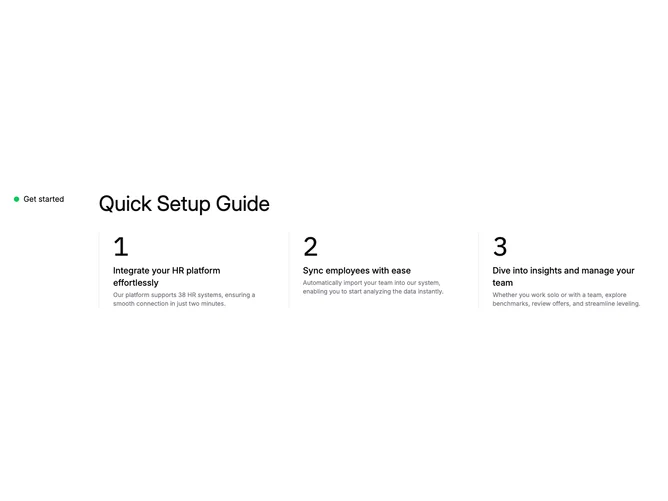
Feature99 is a step-guide section with a two-part horizontal layout. The left side displays a small green status dot paired with a nowrap label. The right side holds a large heading above a three-column grid of numbered steps. Each step column features a large monospace numeral, a medium-weight title, and a small muted description, all left-aligned behind a vertical left border line that runs the full height of the column.
The numerals use monospace font and scale from large on mobile to extra-large on desktop, providing strong visual anchors for each step. Left border lines are thin and use the default border color, creating a timeline-like progression across the row. Text is compact with small descriptive paragraphs kept to two or three lines. The status dot uses a fixed green fill to signal an active or ready state.
The aesthetic is minimal and documentation-like, relying on numbering, borders, and whitespace rather than cards or icons for structure. It reads as a quick-start or onboarding reference. Complexity is low since you supply three static step objects with titles and descriptions.
Below the large breakpoint the heading and steps remain in the right column while the status indicator moves above. The three step columns stack vertically, each retaining its left border.