
Download 2 block design & features
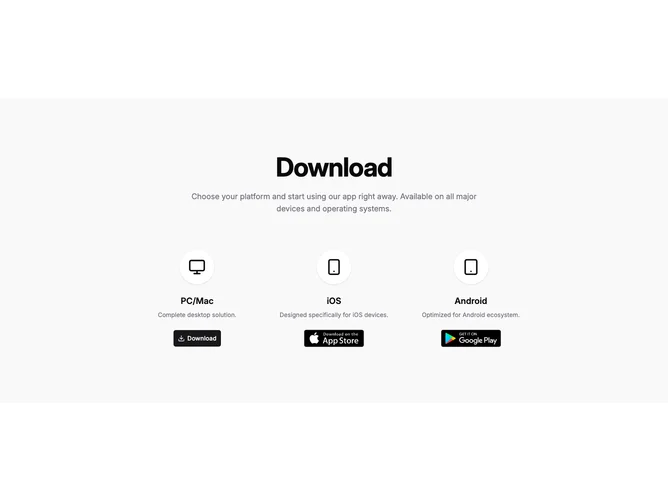
Download2 presents the same desktop, iOS, and Android story as richer card variants but strips chrome down to centered columns built with shadcn/ui buttons and links. The section uses a muted background, a large tracking-tight heading, and a centered description with max width. Each platform column opens with an oversized circular icon on a light elevated circle with shadow, then a semibold platform line, muted one-line blurb, and either a download button or badge images.
Compared to Download1 there are no full cards: spacing and the circular wells carry grouping instead of bordered panels. The desktop column uses the download icon inside the primary button; mobile columns rely on the same hosted badge art for stores.
The block reads lighter and more editorial, closer to a landing strip than a dense installer panel. It is simpler to restyle because surfaces are few, but you still manage three platform objects worth of strings and URLs.
On small widths the three stacks stay in one column flow with centered alignment so icons and badges remain easy targets.