
Download 19 block design & features
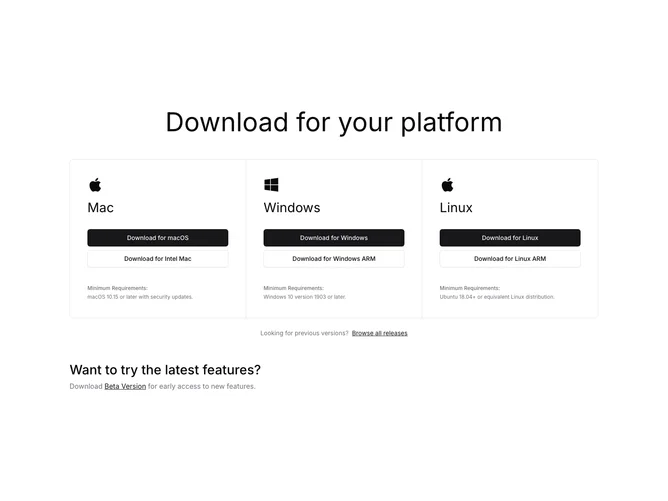
Download19 is a three-column platform download section built with Shadcn UI buttons. A centered headline introduces a bordered grid split into Mac, Windows, and Linux panels. Each panel shows a platform icon, large title, stacked primary and outline download buttons for standard and alternate architectures, and a compact minimum-requirements footer. Under the grid, a centered line links to previous releases, and a lower band invites users to try a beta with an inline link.
Light background with panels separated by hairline borders so the trio reads as one framed unit. Buttons are large and stacked. Requirements copy is tiny and muted at the base of each column. The beta band uses larger heading type without extra card chrome. Static aside from normal link and button interactions.
This is a clean, corporate software-download pattern with equal weight across operating systems. Simple to moderate complexity and content-driven: platform labels, dual CTAs, requirement notes, and archive or beta URLs.
On smaller screens the three panels stack vertically inside the shared border frame while keeping button pairs and requirements with each OS.