
Download 14 block design & features
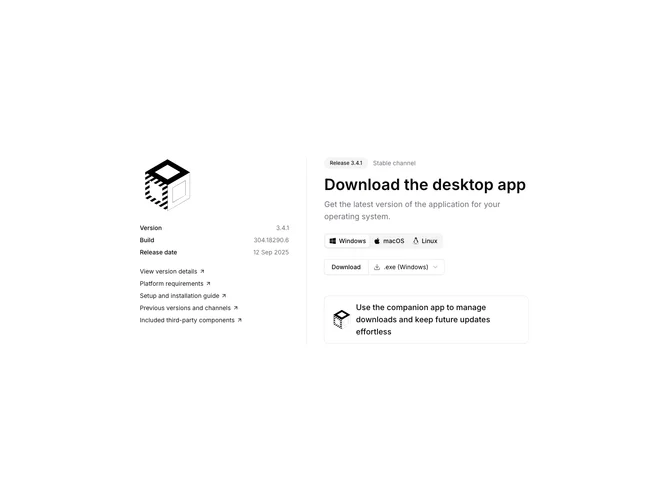
Download14 is a split desktop download section built with Shadcn UI. A left sidebar shows the product logo, version, build, and release date, plus primary-colored resource links for details, requirements, setup, previous channels, and third-party components. The main column opens with a release badge and stable-channel label, a headline, muted intro, then tabs for Windows, macOS, and Linux. Each tab pairs a download button with a select for installer formats such as exe, zip, msi, dmg, pkg, tar.gz, or deb. A bordered companion-app callout sits under the tabs.
Light background with a hairline vertical divider on large screens. Sidebar text is compact and muted; the main column uses larger headline type and secondary badge chrome. Controls stay outline-forward with clear platform icons in the tab list. The companion row uses a soft border that strengthens on hover. Static layout aside from native select and tab switching.
This feels like a documentation-style release page more than a flashy marketing band. Moderate to elaborate complexity from the tabbed OS flows, format picker, and dense metadata sidebar. Complexity is mostly content-driven: real version data, format options, and resource URLs.
On smaller screens the logo moves above the main column, the sidebar drops below under a top border, and the tabs remain the primary interaction for choosing a platform.