
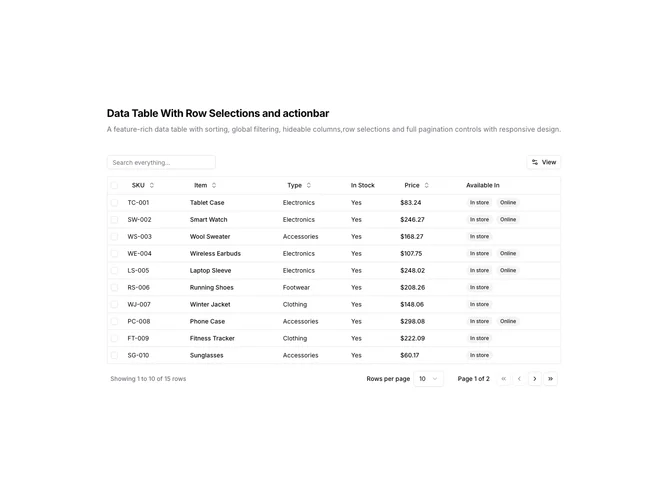
Data Table 11 block design & features
DataTable11 is a left-aligned section with a heading, description, a toolbar with global search and View dropdown, a full-width data table with row selection checkboxes, pagination controls, and a floating action bar that appears when rows are selected. The first column contains checkboxes for selecting individual rows or all rows at once. The table displays seven columns including the selection checkbox, SKU, item name, type, stock status, price, and availability badges. When rows are selected, a floating action bar appears at the top of the viewport showing the selection count and action buttons for export and delete operations.
Light background with dark text. The table has a thin rounded border. Row selection checkboxes appear in the first column. Selected rows are visually highlighted. The floating action bar has a bordered background with a selection count indicator, clear button, and icon buttons for export and delete actions. The action bar animates in from above when selections are made and dismisses when cleared or when pressing Escape. Column headers use ghost-style buttons for sorting. The pagination area includes row count, page size dropdown, page indicator, and navigation buttons. Static table with animated action bar entrance.
This is a feature-rich data table with row selection and bulk actions. The floating action bar pattern keeps bulk operations accessible without cluttering the toolbar. The animation provides clear feedback when entering selection mode. Suitable for admin interfaces where users need to perform operations on multiple records at once.