
Contact 50 block design & features
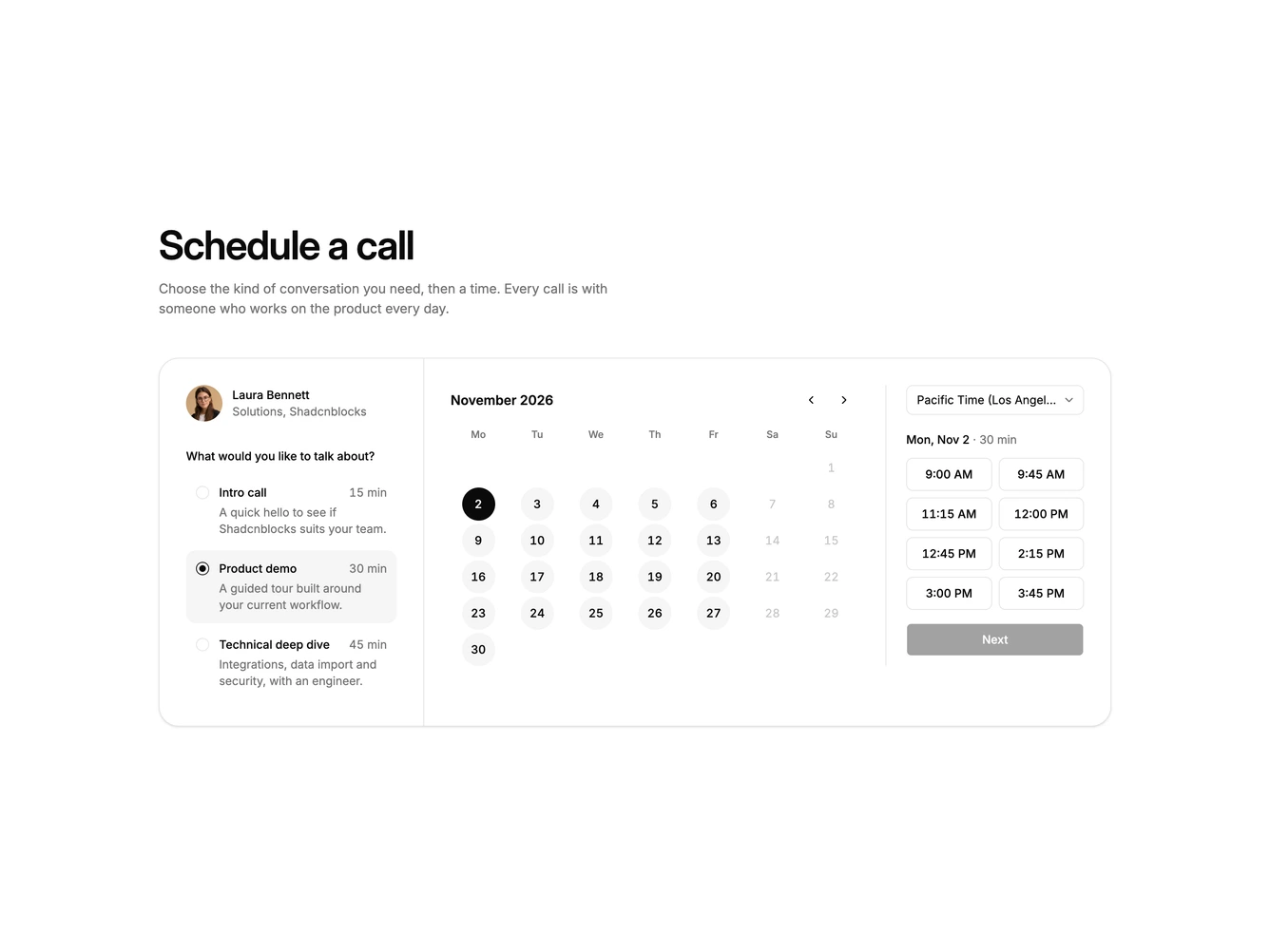
The block lets visitors choose what kind of call they need before picking a time. The left column introduces the host and lists three call types as simple selectable rows, each with a duration and a one-line description.
The right side holds a month calendar and a column of time slots. Slots are generated from the host's working hours and spaced by the chosen call length plus a short buffer, so a 15 minute intro offers more times than a 45 minute deep dive.
A styled native select changes the time zone. It starts on the host's zone, and the visitor's own zone is added to the top of the list. The slot labels shift to match, using the real offset for the selected date, and are marked when they fall on the day before or after.
Choosing a time leads to a short name and email form that summarises the call type, time and zone, then a booked state. On mobile the call types stack above the calendar and the slots move underneath it.