

Companies Create 3 block design & features
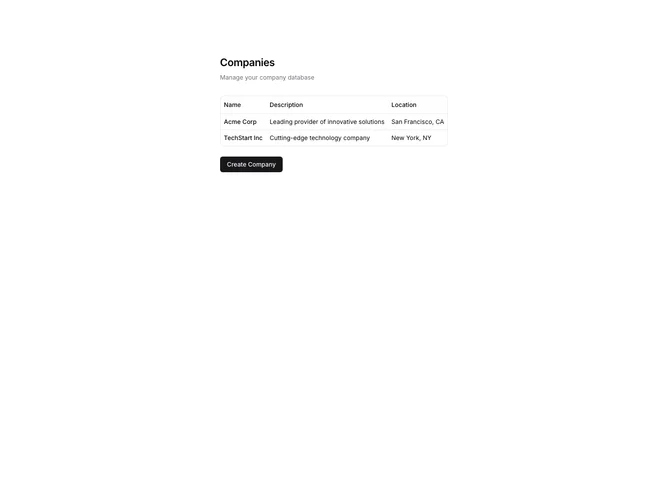
The showcased component serves as an interactive interface for managing a database of companies. It features a blend of structured data presentation and dynamic form elements. A primary characteristic of this shadcn ui component is its dual functionality; it starts by listing the existing companies in a neatly organized table, highlighting their name, description, and location, making it easy to visualize existing entries. The true power of this component lies in its intuitive dialog form interface activated by a "Create Company" button, which opens a dialog where users can input new company information.
Digging deeper, this shadcn component utilizes advanced form controls such as a combobox for team selection and tags for categorizing companies. These shadcn blocks are notable for their ability to handle complex input types, enhancing user interaction and data entry processes. The combobox enables users to search and select team members with ease, while the tags input allows for the selection and management of multiple categories. This design addresses a multitude of functions efficiently within a single form, ensuring a seamless data entry experience that sets it apart from more basic, traditional forms.