
Chart Group 4 block design & features
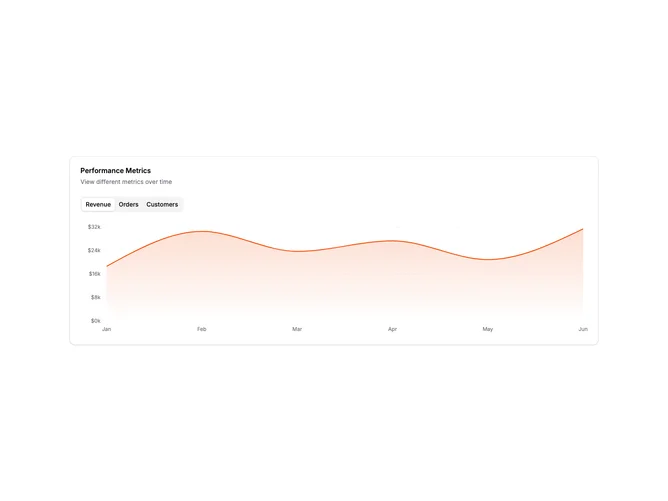
ChartGroup4 is a single card containing multiple chart views accessible via tabs. The tabs allow switching between revenue, orders, and customers metrics. Each tab shows a different chart type appropriate to the metric: area for revenue, bar for orders, and line for customers.
Light card surface with the tabs positioned below the header. Each chart uses a distinct color and visualization type. The chart area maintains consistent height across all tabs for smooth transitions. Tab triggers are compact and clearly labeled. The active tab is visually highlighted.
This pattern consolidates multiple metrics into a single card, saving space while maintaining access to all data. Using different chart types for each metric adds visual variety and matches each metric to an appropriate visualization. Useful when metrics are related but users typically focus on one at a time.
Tab switching is immediate with no loading states needed for pre-loaded data. The card works well in both full-width and constrained layouts.