
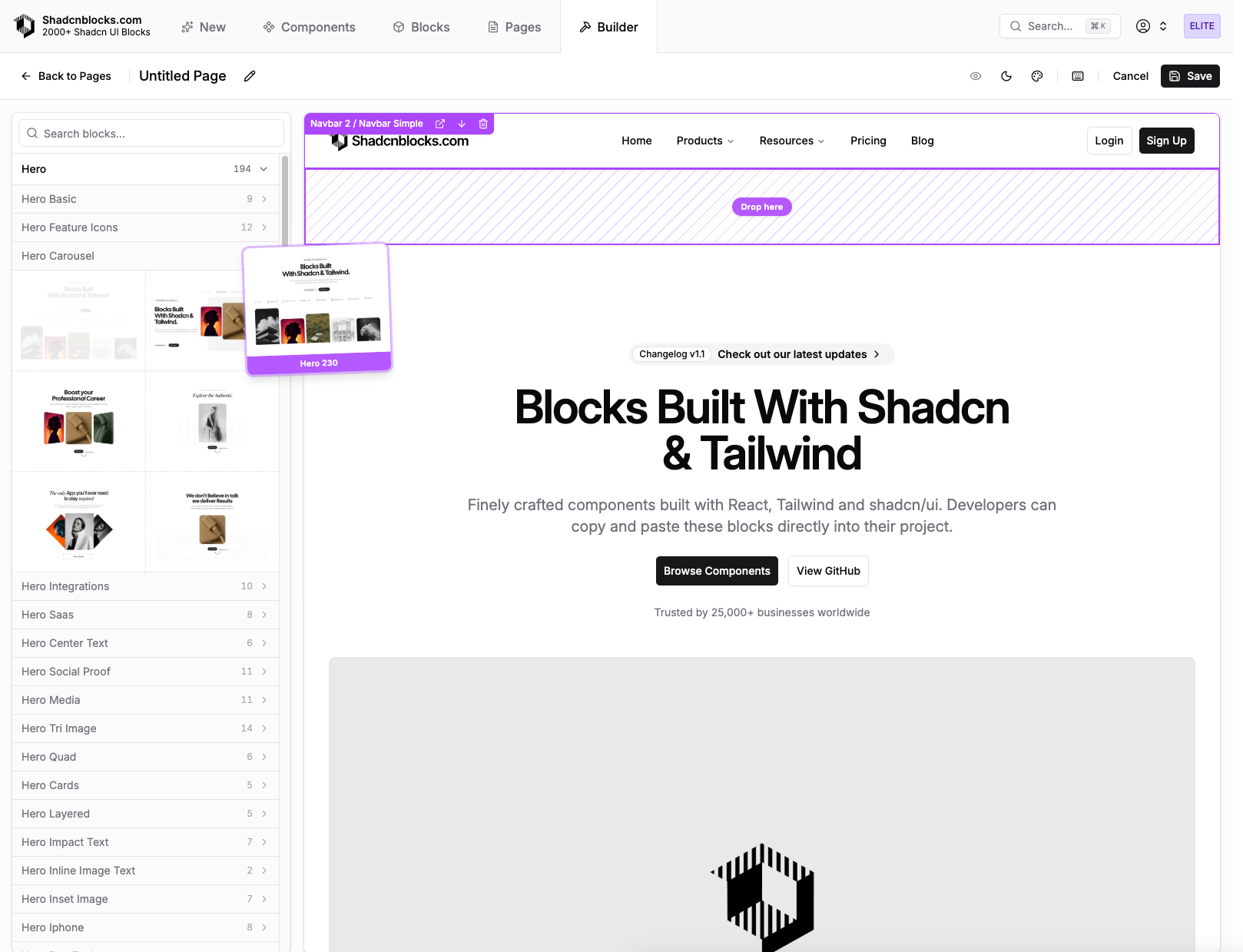
You can compose full pages from Shadcnblocks right inside the site using the Shadcn UI Page Builder. Browse library pages, open the builder, and arrange sections in a dedicated editor.
What you can do
- Browse pre-built pages — Explore pre-built pages the same way you explore blocks and components.
- Open the builder — Start from Shadcn Page Builder to create or edit a page layout: add blocks, reorder sections, and tune structure in a dedicated editor.
- Install with the Shadcn CLI — Pull page layouts into your project using the same shadcn/ui CLI workflow you use for blocks and components, so pages land in your codebase ready to extend.