
Navbar 10 block design & features
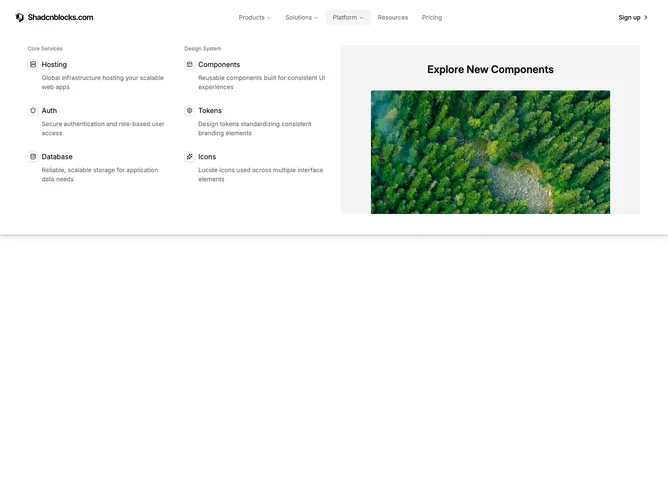
The layout places a logo, five top-level navigation items, and a sign-up button inside a full-width bar built with the Shadcn UI NavigationMenu. Three of the items open distinct dropdown panels: a two-column grid of icon links paired with a hover-activated image preview, a row of featured cards over a company logo grid separated by a divider, and a grouped link list beside a featured image with aspect ratio framing.
Each dropdown spans the full viewport width and sits beneath a subtle border-and-shadow treatment. Icon links display a small bordered square with a Lucide icon, a label, and a short description. The featured cards layer text over background photography with rounded corners and a translucent overlay. Company logo links show the brand mark alongside a description line.
The overall feel is information-dense yet organized, with generous padding, muted foreground text on triggers, and smooth fade-and-slide entrance animations on the panels. Link items dim siblings on hover to draw attention to the active row, and images transition vertically behind the link grid.
On smaller screens the navigation collapses into a full-height sheet overlay with accordion sections for each category, a sign-up button pinned at the bottom, and simple stacked link lists replacing the multi-column desktop panels.