
Logos 11 block design & features
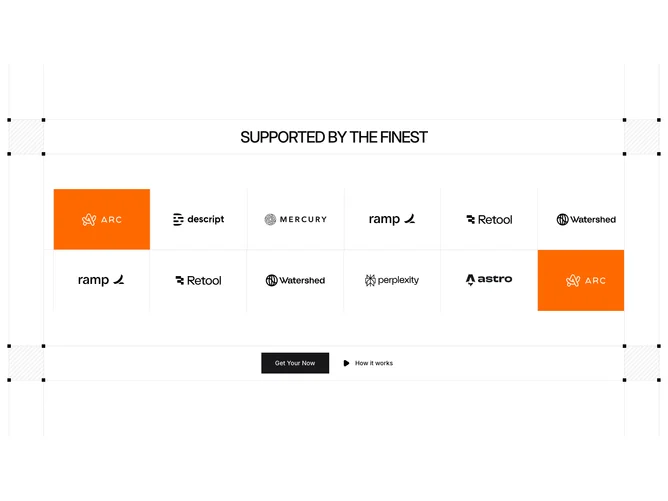
This section sandwiches two auto-scrolling shadcn/ui Carousels between a header bar and a footer bar. The header bar displays an uppercase title, while the footer bar holds two Buttons: a filled primary action and a ghost variant with a custom play icon. Both bars share the same bordered, horizontally ruled styling with decorative hatch-pattern squares anchored at each end and small square corner markers.
Each carousel row places logo images inside bordered cells with a fixed height. Some cells can receive a colored background fill for selective emphasis. The two rows scroll independently using the AutoScroll plugin, and thin vertical lines extend above and below the bars to create a technical blueprint-grid motif. The diagonal hatch pattern is generated via a CSS linear-gradient background on the corner squares.
The overall aesthetic is graphic and industrial, combining architectural line work with the continuous scroll motion. The uppercase heading, squared-off buttons with no border radius, and repeating grid lines reinforce a structured, engineered feel that stands apart from softer logo sections.
On smaller screens the carousel cells reduce from six visible items to two, and the decorative side lines and hatch squares are pushed off-screen by the container overflow, keeping the core content readable.